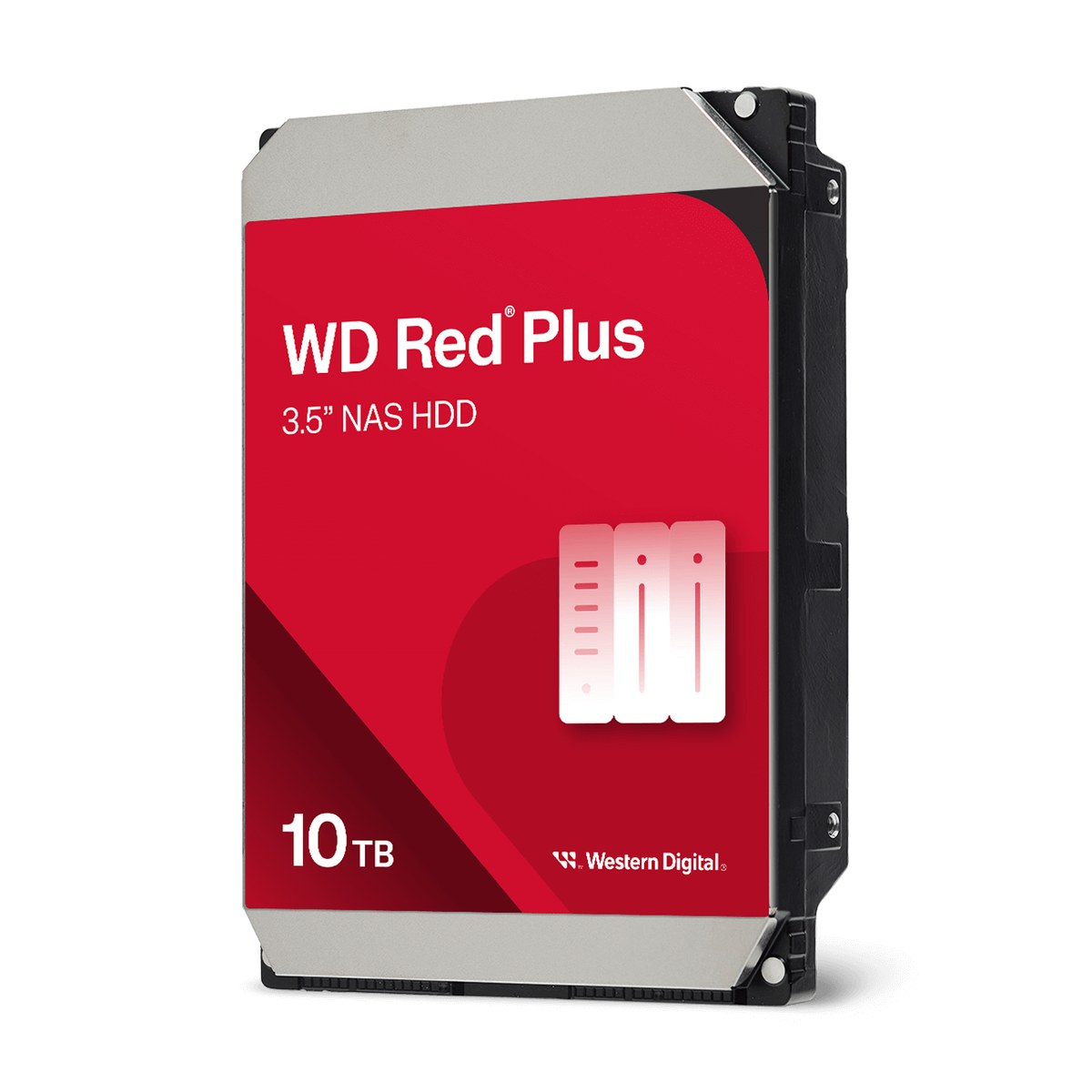
Western Digital WD Red Plus NAS Hard Drive (2TB-12TB)
A 3.5-inch CMR NAS hard drive family from 2 TB to 12 TB for systems with up to eight bays, rated for 180 TB/year and 1 million hours MTBF, with NASware and a three-year warranty.
Full Specification Sheet
| Type | Internal HDD, NAS-optimized (up to 8 bays) |
|---|---|
| Interface | SATA 6 Gb/s |
| Form Factor | 3.5-inch, 26.1 x 101.6 x 147 mm |
| Capacities | 2, 4, 6, 8, 10, 12 TB |
| Recording Technology | CMR (all models) |
| Drive Technology | Air (helium for WD120EFBX) |
| Spindle Speed | 5400 RPM class (2, 4, 6 TB WD60EFPX), 5640 RPM (8 TB, 6 TB WD60EFZX), 7200 RPM (10 TB, 12 TB) |
| Internal Transfer Rate | Up to 180 MB/s (2-6 TB) to 260 MB/s (WD100EFGX, WD120EFGX) |
| Cache | 64 MB (2 TB) to 512 MB (WD100EFGX, WD120EFGX), depending on model |
| Workload Rate | 180 TB/year |
| MTBF | 1,000,000 hours |
| Load/Unload Cycles | 600,000 |
| Non-Recoverable Read Errors | Less than 1 in 10^14 bits read |
| Operating Temperature | 0 to 65 C |
| Non-Operating Temperature | -40 to 70 C |
| Technologies | NASware, dual-plane balance control |
| Model Numbers | WD20EFPX, WD40EFPX, WD60EFPX, WD60EFZX, WD80EFPX, WD80EFZZ, WD101EFBX, WD100EFGX, WD120EFBX, WD120EFGX |
| Warranty | 3-year limited |
WD Red Plus is Western Digital's hard drive line for home offices, power users and small to medium businesses that run network-attached storage. The data sheet lists capacities from 2 TB to 12 TB, all using conventional magnetic recording (CMR), and positions the drives for RAID-optimised NAS systems with up to eight bays. Each drive is rated for a workload of 180 TB per year and a mean time between failures of one million hours, and the family carries a three-year limited warranty. This page summarises the manufacturer's data sheet. We have not tested these drives and do not publish prices or measurements of our own.
What makes it a NAS drive
Western Digital describes three features that separate WD Red Plus from a standard desktop drive. NASware firmware tunes drive parameters to the workloads of NAS systems, which the company says improves performance and reliability. The drives are designed for systems that run around the clock, every day of the year. And Western Digital says it tests compatibility with a wide range of NAS vendors. A further point is dual-plane balance control, which reduces vibration and noise in multi-drive enclosures; vibration from neighbouring drives is one of the factors that can shorten drive life and degrade performance in a NAS.
CMR recording
Every model in the family uses CMR. This matters for NAS use because drives with shingled magnetic recording (SMR) can slow down sharply during long rewrites, which includes the rebuild of a RAID array after a drive has failed. With CMR, writes go directly to their final location, so performance during rebuilds is more predictable. Our article on RAID levels for NAS systems explains how rebuilds work and why they put heavy, sustained load on every drive in the array.
Models, speed and cache
The family is unusually varied. The 2 TB, 4 TB and 6 TB WD60EFPX models are listed at 5,400 rpm with transfer rates up to 180 MB/s; the 2 TB model has 64 MB of cache and the 4 TB and 6 TB models 256 MB. The WD60EFZX (6 TB) and the two 8 TB models run at 5,640 rpm with 128 MB or 256 MB of cache and up to 185 or 215 MB/s. The 10 TB and 12 TB models spin at 7,200 rpm. The WD100EFGX and WD120EFGX are the fastest, rated at up to 260 MB/s with 512 MB of cache, while the WD101EFBX reaches 215 MB/s and the helium-filled WD120EFBX 196 MB/s, each with 256 MB. Western Digital notes that the WD120EFGX actually spins at 7,200 rpm even though it may report 5,400 rpm to reflect an older performance class.
Because two different models exist at 6 TB, 8 TB, 10 TB and 12 TB, it is worth checking the exact model number when buying, especially if you are adding drives to an existing array and want identical or closely matched members.
Reliability ratings
All models share the same reliability ratings: 600,000 load/unload cycles, fewer than one non-recoverable read error per 10^14 bits read, one million hours MTBF and a workload rate of 180 TB per year. Western Digital defines the workload rate as the amount of user data transferred to or from the drive, annualised, and bases the MTBF estimate on a workload of 90 TB per year at 40 °C drive temperature, with derating above those conditions up to 65 °C. In plain terms: the drive is built for continuous operation in a small NAS, not for the heavy, constant workloads of larger servers.
Environment and physical data
The operating temperature range is 0 to 65 °C and the non-operating range -40 to 70 °C. All models use the standard 3.5-inch format at 26.1 by 101.6 by 147 millimetres. The data sheet also lists shock ratings of 70 G operating for 2 milliseconds and 250 G non-operating. Western Digital says the drives use less power than previous models and run cooler, which helps in compact NAS enclosures with limited airflow.
How many bays and how much capacity
The eight-bay limit is the key boundary. In a two- to eight-bay NAS, WD Red Plus is within its intended use; for larger enclosures, a drive rated for more bays is the appropriate choice. Our guide on how many drives a home NAS needs explains how RAID level, redundancy and future growth affect the number and size of drives you should buy. Remember that in most RAID layouts the smallest drive determines the usable capacity of each member.
How it compares in our database
In our storage section, the step up within the same brand is WD Red Pro, with 7,200 rpm across the range, larger capacities, a 550 TB/year workload rating, a higher MTBF rating and a five-year warranty. The direct competitor is Seagate's IronWolf, which is also aimed at NAS systems with up to eight bays and has the same 180 TB/year workload rating. The page WD Red Plus vs IronWolf places the two families side by side.
Who it suits
WD Red Plus suits home users and small offices building or expanding a NAS for file sharing, photo and video libraries, backups of several computers and media streaming. The 4 TB to 8 TB models are typical choices for two- and four-bay systems. For quiet operation in a living space, the 5,400 and 5,640 rpm models are generally the calmer option; the 7,200 rpm 10 TB and 12 TB models trade some of that for speed.
Installation tips
Install the drives in the NAS enclosure's trays and let the NAS software initialise the array. When building an array, buying drives from different batches is a common precaution, but keeping the same model number avoids mixing different speeds and cache sizes. After installation, enable the NAS system's health monitoring so that warnings from the drives' self-monitoring are reported early. A NAS with RAID protects against a single drive failure, not against deletion, ransomware or theft, so keep a separate backup of important data.
What the data sheet does not say
The data sheet does not give sustained performance under mixed workloads, does not describe the internal design beyond the air or helium drive technology and does not list a release date. Power and acoustic values are given per model but are not repeated here. Prices vary by region, retailer and capacity and are not shown on this page.