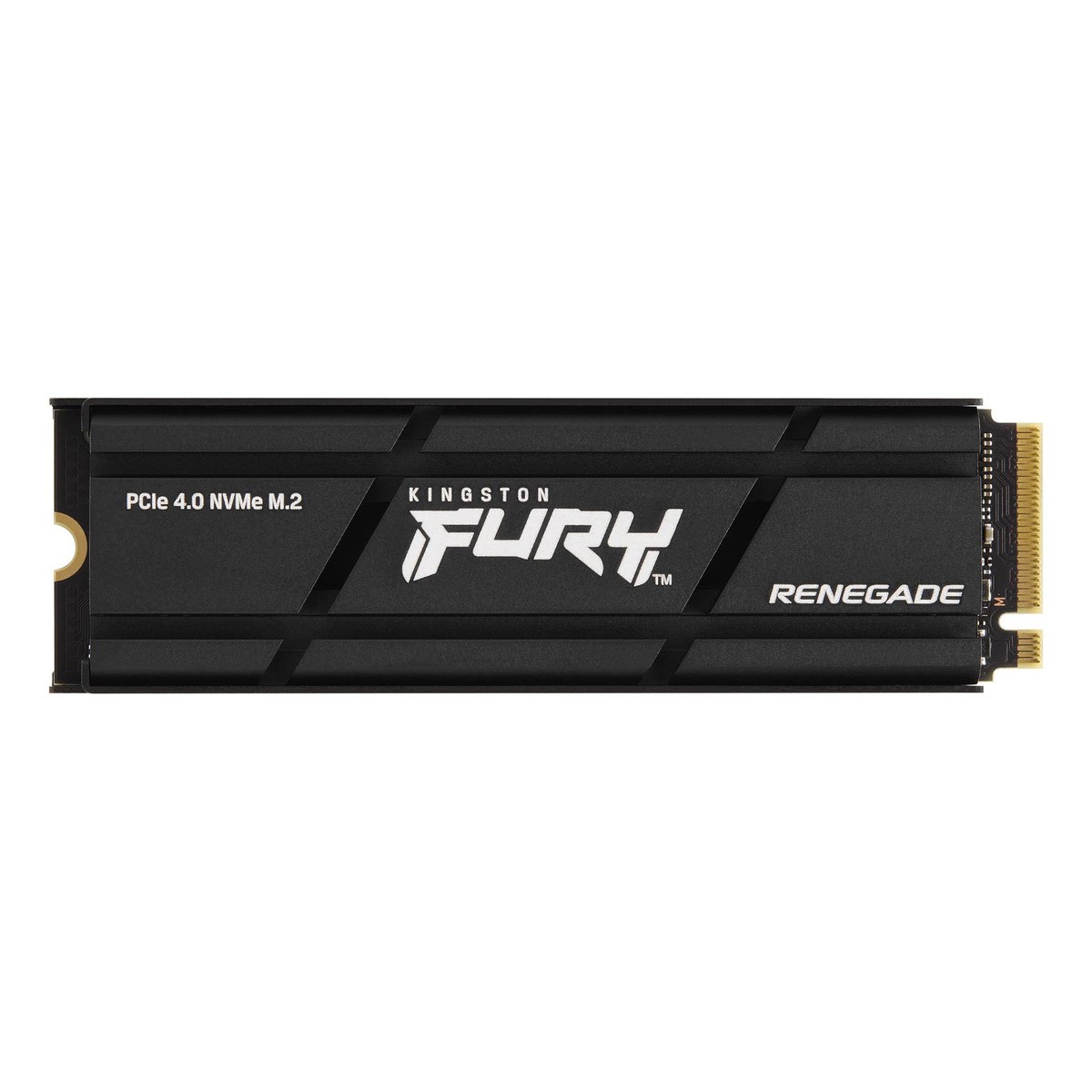
Kingston FURY Renegade PCIe 4.0 NVMe SSD with Heatsink (1TB-4TB)
A heatsink-equipped PCIe 4.0 x4 NVMe SSD for gamers with a Phison E18 controller, DRAM cache and 3D TLC, 1 TB to 4 TB, up to 7,300/7,000 MB/s and up to 4 PB written over five years.
Full Specification Sheet
| Type | Internal SSD, NVMe (client, gaming) |
|---|---|
| Interface | PCIe 4.0 x4 NVMe |
| Form Factor | M.2 2280 with heatsink, 80 x 23.67 x 10.5 mm |
| Capacities | 1 TB, 2 TB, 4 TB |
| Controller | Phison E18 |
| NAND | 3D TLC |
| DRAM Cache | Yes |
| Sequential Read / Write | 7,300/6,000 MB/s (1 TB), 7,300/7,000 MB/s (2 TB and 4 TB) |
| Random 4K Read / Write | Up to 900,000/1,000,000 IOPS (1 TB), 1,000,000/1,000,000 IOPS (2 TB and 4 TB) |
| Endurance (TBW) | 1.0 PB (1 TB), 2.0 PB (2 TB), 4.0 PB (4 TB) |
| Power | 50 mW idle; 0.33-0.36 W average; up to 2.7-2.8 W read and 6.3-10.2 W write (max, by capacity) |
| Operating Temperature | 0 to 70 C |
| Storage Temperature | -40 to 85 C |
| Weight | 32.1 g (1 TB), 34.9 g (2 TB and 4 TB) |
| Part Numbers | SFYRSK/1000G, SFYRDK/2000G, SFYRDK/4000G |
| MTBF | 2,000,000 hours |
| Warranty | Limited 5-year warranty with free technical support |
The Kingston FURY Renegade is the company's PCIe 4.0 NVMe drive for gamers, enthusiasts and high-power users. This page covers the version with a factory-fitted heatsink, sold in 1 TB, 2 TB and 4 TB capacities under the part numbers SFYRSK/1000G, SFYRDK/2000G and SFYRDK/4000G. Kingston lists up to 7,300 MB/s for sequential reads and up to 7,000 MB/s for writes, together with endurance ratings of one petabyte written per terabyte of capacity. Kingston also describes the heatsink version as ready for use in a PlayStation 5. This page summarises the manufacturer's specification; we have not tested the drive and we show no prices or measurements of our own.
Interface and format
The FURY Renegade uses PCIe 4.0 with four lanes and the NVMe protocol in the M.2 2280 format. With the heatsink fitted, the drive measures 80 by 23.67 by 10.5 millimetres, so it is far taller than a bare M.2 card. That height matters: the drive needs free space above the slot and cannot be used under most motherboard M.2 covers, which have their own heatsinks. In return, it brings its own cooling into systems that have none, such as many older or compact boards. The weight is 32.1 grams for the 1 TB model and 34.9 grams for the 2 TB and 4 TB models.
Speed by capacity
Sequential reads are rated at 7,300 MB/s for all three sizes. The 1 TB model writes at up to 6,000 MB/s, while the 2 TB and 4 TB models reach 7,000 MB/s. Random 4K performance is listed at up to 900,000 read and 1,000,000 write IOPS for 1 TB and 1,000,000 IOPS in both directions for 2 TB and 4 TB. Kingston bases the figures on out-of-box performance with a PCIe 4.0 motherboard and notes that speed varies with host hardware, software and usage. In a PCIe 3.0 slot the drive still works, but the older link keeps it well below these numbers.
Controller, flash and cache
Like Kingston's KC3000, the FURY Renegade uses a Phison E18 controller, 3D TLC NAND and a DRAM cache. The DRAM holds the drive's mapping table, which helps keep random access fast when the drive is busy or well filled. The two models therefore share much of their technology; the FURY Renegade's differences are its slightly higher read rating, its higher endurance rating, the heatsink option and the capacity range starting at 1 TB. Kingston does not state the NAND layer count or the DRAM size.
Endurance and warranty
Total bytes written are rated at 1.0 PB for 1 TB, 2.0 PB for 2 TB and 4.0 PB for 4 TB, the equivalent of about 1,000 full drive writes for every capacity. The figures are derived from the JEDEC client workload. Mean time between failures is 2,000,000 hours. The limited five-year warranty includes free technical support and ends either after five years or when the drive's "Percentage Used" indicator, readable in Kingston's SSD Manager, reaches 100. Kingston also notes that the drive is designed for desktop and notebook workloads and not intended for server environments.
Power and cooling
Idle power is 50 milliwatts on all models, and average power is 0.33 W for 1 TB and 0.36 W for 2 TB and 4 TB. Peak read power is 2.7 to 2.8 W, and peak write power is 6.3 W for 1 TB, 9.9 W for 2 TB and 10.2 W for 4 TB. Those write peaks explain why a heatsink is useful: a fast Gen4 drive that writes for a long time without cooling can reach its temperature limit and slow down. Our guide to NVMe throttling and heatsinks explains how drives protect themselves and why airflow matters. The operating temperature range is 0 to 70 °C and the storage range -40 to 85 °C.
Use in a PlayStation 5
Kingston markets the heatsink version as PS5 ready. The console's expansion bay accepts M.2 drives with a heatsink, but space is limited, so the total height and width must fit the bay. Kingston's figures of 10.5 millimetres in height and 23.67 millimetres in width are the ones to compare with the console maker's current requirements before buying. The console also expects a PCIe 4.0 drive, which this model is.
Reliability ratings
Operating vibration is rated at 2.17 G peak from 7 to 800 Hz and non-operating vibration at 20 G peak from 20 to 1,000 Hz. These figures are identical to those of the KC3000, which is consistent with the shared hardware platform.
How it compares in our database
In our storage section, the nearest relative is the Kingston KC3000, with the same controller, a thinner graphene heat spreader instead of a full heatsink and lower endurance ratings. Among other brands, the Samsung 990 PRO offers similar Gen4 class performance. The page FURY Renegade vs FireCuda 530R compares it with Seagate's Gen4 gaming drive. For a wider view of the market, our NVMe buying guide explains which specifications matter most.
Who it suits
The FURY Renegade with heatsink suits gamers who want a fast Gen4 drive with its own cooling, PS5 owners looking for an expansion drive that fits the bay, and builders whose motherboard has no M.2 heatsink. The 2 TB model is the most balanced choice; the 1 TB version writes more slowly, and the 4 TB version offers the most space and endurance but also the highest peak power.
Installation tips
Before installing, check the clearance above the M.2 slot, particularly near a graphics card or a large CPU cooler. Remove any motherboard M.2 cover that would sit on top of the drive, as two heatsinks cannot be stacked. Insert the drive at a slight angle, press it down and fasten it with the screw or latch. Kingston's SSD Manager software shows the drive's health and the "Percentage Used" value that the warranty refers to. If you are moving an existing installation, cloning software can copy it, provided the used space fits on the new drive.
Choosing a capacity
Spread evenly over five years, the endurance ratings correspond to roughly 548 GB of writes per day for 1 TB, about 1.1 TB per day for 2 TB and around 2.2 TB per day for 4 TB. Few home users come close to these values. Capacity should therefore be chosen by how many games and projects you want to keep on the drive, with a margin of free space so that the drive's caching and background maintenance can work efficiently.
What the specification does not say
Kingston's specification does not give the NAND layer count, the DRAM size or sustained write speed after the cache is full. The heatsink material is not described in the data sheet. A release date is not listed. Prices vary by region, retailer and capacity and are not shown on this page.