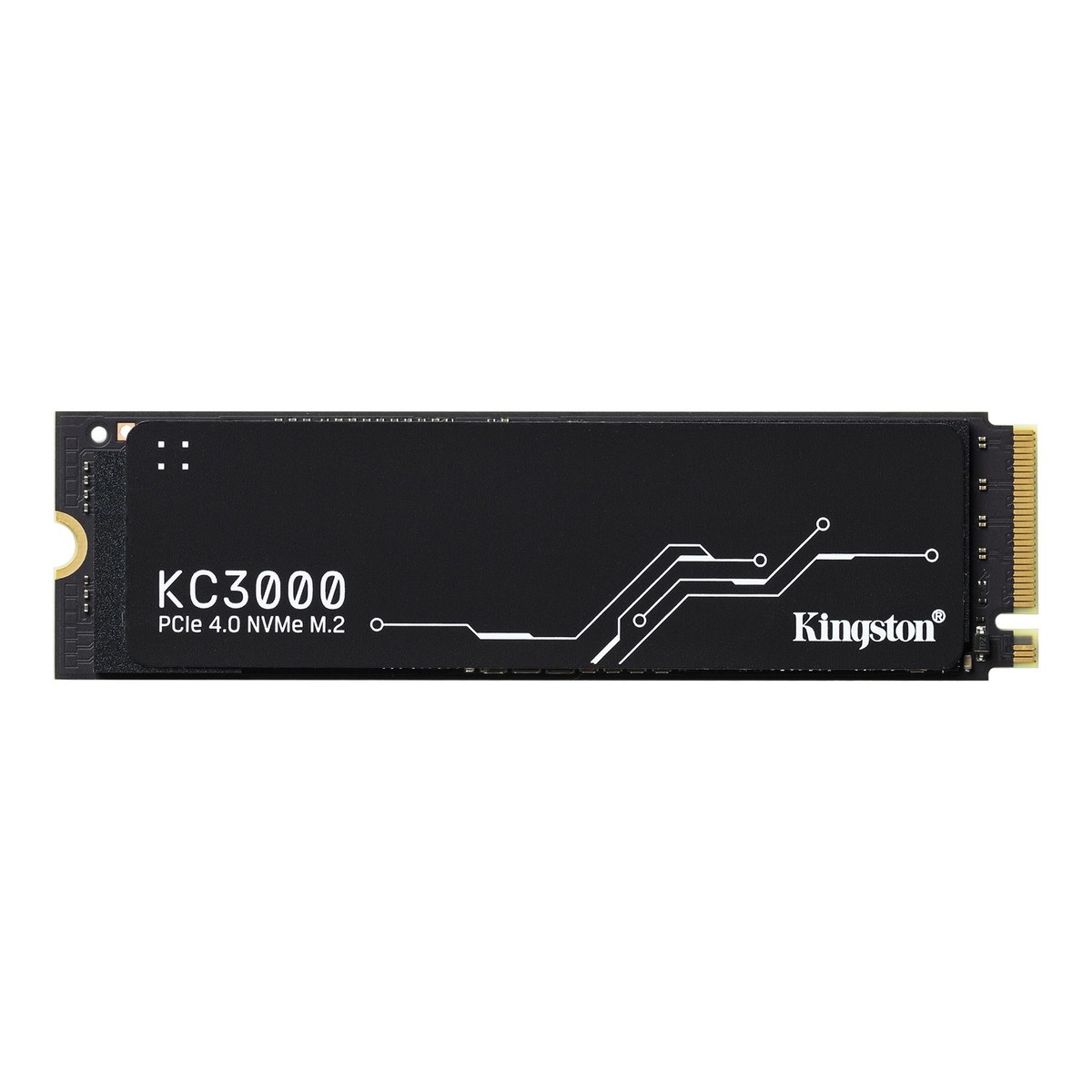
Kingston KC3000 PCIe 4.0 NVMe SSD (512GB-4096GB)
A PCIe 4.0 x4 NVMe SSD in M.2 2280 with a Phison E18 controller, DRAM cache and 3D TLC, 512 GB to 4096 GB, up to 7,000 MB/s and up to 3.2 PB written over a five-year warranty.
Full Specification Sheet
| Type | Internal SSD, NVMe (client) |
|---|---|
| Interface | PCIe 4.0 x4 NVMe |
| Form Factor | M.2 2280; 80 x 22 x 2.21 mm (512GB-1024GB), 80 x 22 x 3.5 mm (2048GB-4096GB) |
| Capacities | 512 GB, 1024 GB, 2048 GB, 4096 GB |
| Controller | Phison E18 |
| NAND | 3D TLC |
| DRAM Cache | Yes |
| Sequential Read / Write | 7,000/3,900 MB/s (512GB), 7,000/6,000 MB/s (1024GB), 7,000/7,000 MB/s (2048GB and 4096GB) |
| Random 4K Read / Write | Up to 450,000/900,000 IOPS (512GB), 900,000/1,000,000 IOPS (1024GB), 1,000,000/1,000,000 IOPS (2048GB and 4096GB) |
| Endurance (TBW) | 400 TB (512GB), 800 TB (1024GB), 1.6 PB (2048GB), 3.2 PB (4096GB) |
| Power | 50 mW idle; 0.33-0.36 W average; up to 2.7-2.8 W read and 4.1-10.2 W write (max, by capacity) |
| Heat Spreader | Low-profile graphene aluminium |
| Operating Temperature | 0 to 70 C |
| Storage Temperature | -40 to 85 C |
| Weight | 7 g (512GB-1024GB), 9.7 g (2048GB-4096GB) |
| MTBF | 2,000,000 hours |
| Warranty | Limited 5-year warranty with free technical support |
The Kingston KC3000 is the company's high-performance PCIe 4.0 NVMe drive for desktop and laptop PCs. It pairs a Phison E18 controller with 3D TLC flash and a DRAM cache, and it is offered in four capacities from 512 GB to 4096 GB. Kingston rates every size at up to 7,000 MB/s for sequential reads, while write speeds and endurance rise with capacity. This page summarises the manufacturer's specification. We have not tested the drive ourselves, and we publish no prices or benchmark results of our own.
Interface and format
The KC3000 uses four lanes of PCIe 4.0 and the NVMe protocol in the standard M.2 2280 format. It fits any NVMe-capable M.2 slot of 80 millimetres in a desktop board or laptop, and it also works in PCIe 3.0 slots, where the older link limits sequential speeds well below the rated figures. In a PCIe 5.0 slot it runs at Gen4 speed. If you are weighing a Gen4 drive like this one against a newer Gen5 model, our guide to Gen4 versus Gen5 NVMe explains where the extra bandwidth actually matters.
Thickness depends on capacity. The 512 GB and 1024 GB models measure 80 by 22 by 2.21 millimetres, while the 2048 GB and 4096 GB models are 3.5 millimetres thick and weigh 9.7 grams instead of 7 grams. The difference comes from components on both sides of the board on the larger versions, which is worth remembering for very thin laptops with single-sided M.2 bays.
Speed by capacity
Sequential reads are listed at 7,000 MB/s for all four sizes. Sequential writes are where the capacities differ: 3,900 MB/s for 512 GB, 6,000 MB/s for 1024 GB and 7,000 MB/s for both 2048 GB and 4096 GB. Random 4K performance follows the same pattern, with up to 450,000 read and 900,000 write IOPS for 512 GB, 900,000 and 1,000,000 IOPS for 1024 GB, and 1,000,000 IOPS in both directions for the two largest models. Kingston bases these figures on out-of-box performance on a PCIe 4.0 motherboard and notes that results vary with host hardware, software and usage.
In practice, the 512 GB model is the one to treat with care: its write speed is little more than half that of the bigger versions. For a system drive that mainly reads programs and games, this matters less than for someone who regularly copies large video or project files.
Controller, flash and cache
The Phison E18 is a PCIe 4.0 controller, and Kingston combines it with 3D TLC NAND and a dedicated DRAM cache. A DRAM cache holds the drive's mapping tables in fast memory, which helps keep random access and mixed workloads responsive, especially when the drive is fairly full. Kingston does not state the number of NAND layers or the size of the DRAM cache in its specification table.
Endurance and warranty
Total bytes written are generous: 400 TB for 512 GB, 800 TB for 1024 GB, 1.6 PB for 2048 GB and 3.2 PB for 4096 GB. That is the equivalent of roughly 780 full drive writes for every capacity. The figures are derived from the JEDEC client workload. Mean time between failures is 2,000,000 hours, and the limited warranty runs for five years with free technical support. Our article on what TBW ratings mean shows how to convert such numbers into years of everyday use.
Power and cooling
Kingston lists 50 milliwatts at idle and an average of 0.33 to 0.36 watts depending on capacity. Maximum read power is 2.7 to 2.8 watts, while maximum write power climbs from 4.1 watts on the 512 GB model to 6.3, 9.9 and 10.2 watts on the 1024 GB, 2048 GB and 4096 GB models. Those peaks explain the low-profile graphene and aluminium heat spreader on the label side, which spreads heat without making the drive noticeably thicker. The operating temperature range is 0 to 70 °C, and storage is rated from -40 to 85 °C. Operating vibration is rated at 2.17 G peak from 7 to 800 Hz and non-operating vibration at 20 G peak from 20 to 1,000 Hz.
How it compares in our database
In our storage section, the closest alternatives with similar Gen4 performance include the Samsung 990 PRO, which is listed with slightly higher sequential reads in its 4 TB form. The page KC3000 vs WD_BLACK SN850X sets the Kingston against another popular high-end Gen4 drive. Within Kingston's own range, the KC3000 sits well above the entry-level NV series in write speed, endurance rating and warranty length.
Choosing a capacity
Spread evenly over the five-year warranty, the endurance ratings work out to roughly 219 GB of writes per day for the 512 GB model, about 438 GB per day for 1024 GB, around 877 GB per day for 2048 GB and about 1.75 TB per day for 4096 GB. Typical home and gaming use stays far below even the smallest of these values, so endurance is rarely the deciding factor. The more practical questions are write speed, where the 512 GB model lags behind, and free space, because an SSD that is kept nearly full has less room for its write cache and background maintenance. For most buyers who install large games or work with media, 1024 GB is a sensible minimum and 2048 GB leaves comfortable headroom.
Who it suits
The KC3000 is a sensible choice for a fast system drive in a gaming PC or workstation, for content creators who move large files and want write speeds that hold up across capacities, and for anyone upgrading from SATA or a PCIe 3.0 drive. The 1024 GB and 2048 GB versions are the most balanced picks; the 4096 GB version adds capacity and endurance but also the highest peak power.
Installation tips
Insert the drive at a slight angle into the M.2 slot, press it down and secure it with the screw or latch. If your motherboard has its own M.2 heatsink, check the manufacturer's instructions: some boards expect you to remove protective film from the thermal pad, and very thick double-sided drives can occasionally interfere with tight covers. Kingston's SSD Manager software can show drive health and firmware status. When cloning an existing installation, make sure the used space on the old drive fits on the new one.
What the specification does not say
Kingston does not give the NAND layer count, the DRAM size or the behaviour of the SLC cache in its specification table. No sustained write figure after the cache is exhausted is listed. A release date is not stated. Prices vary by region, retailer and capacity and are not shown on this page.