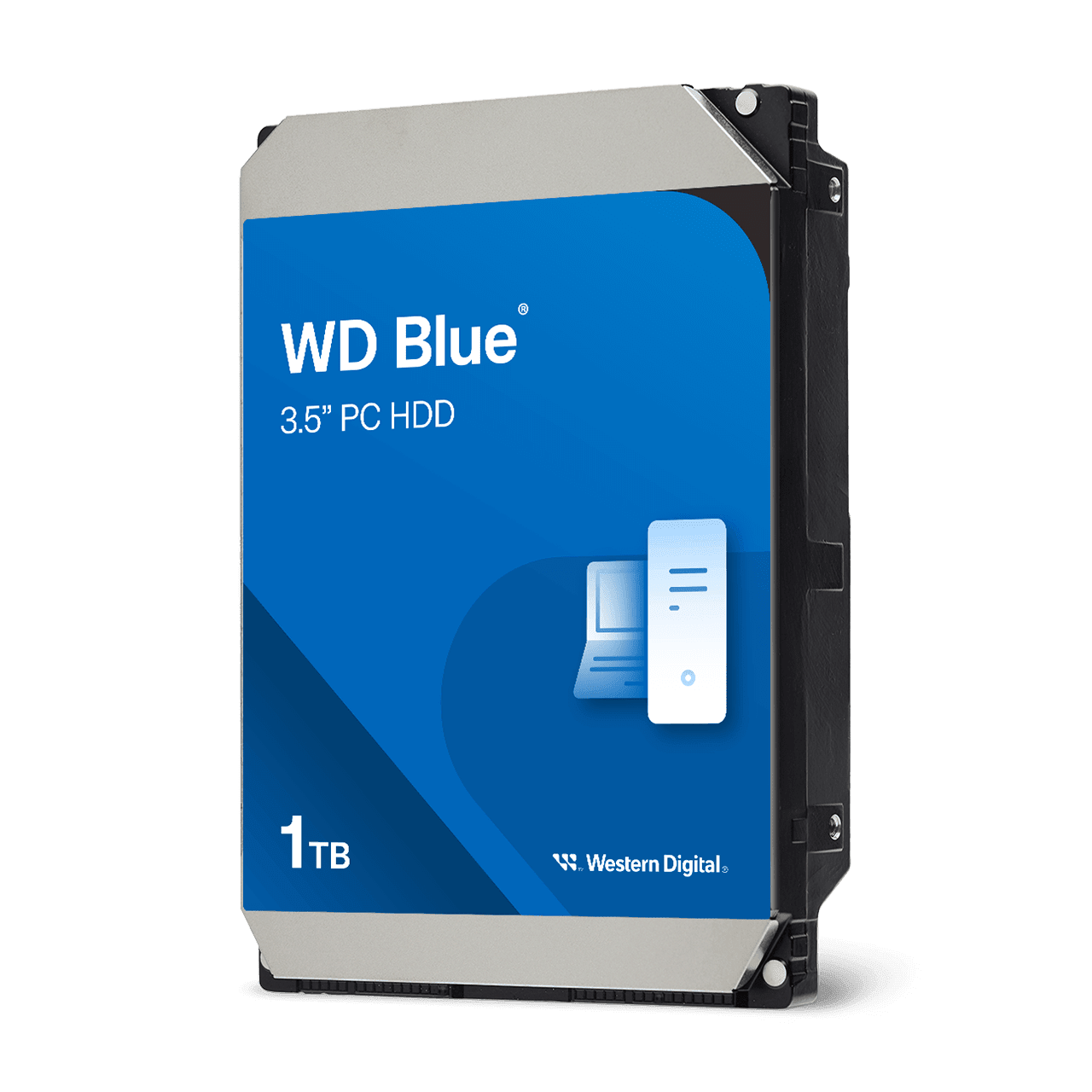
Western Digital WD Blue PC Desktop Hard Drive (3.5-inch SATA, 1-12 TB family)
A family of 3.5-inch SATA hard drives from 1 TB to 12 TB for desktop PCs, mixing CMR and SMR recording, 64 to 512 MB of cache, 5400 to 7200 RPM and a two-year warranty.
Full Specification Sheet
| Type | Internal HDD, desktop / everyday PC |
|---|---|
| Form Factor | 3.5-inch |
| Interface | SATA (up to 150-260 MB/s transfer rate depending on model) |
| Capacities | 1, 2, 3, 4, 6, 8, 10 and 12 TB |
| Spindle Speed | 5400 RPM (most models), 5640 RPM (8 TB), 7200 RPM (1 TB WD10EZEX, 2 TB WD20EZBX, 10 TB and 12 TB) |
| Cache | 64 MB (1 TB models and WD20EARZ), 128 MB (WD30EZZX, WD40EZZX), 256 MB (WD20EZBX and 3-8 TB models), 512 MB (10 and 12 TB) |
| Recording Technology | CMR on most models; SMR on WD20EZBX (2 TB), WD30EZAZ (3 TB) and WD40EZAZ (4 TB) |
| Model Numbers | WD10EARZ, WD10EZEX, WD20EARZ, WD20EZBX, WD30EZAX, WD30EZAZ, WD30EZZX, WD40EZAX, WD40EZAZ, WD40EZZX, WD60EZAX, WD80EAAZ, WD100EAGZ, WD120EAGZ |
| Dimensions (L x W x H) | 5.79 x 4 x 1.03 inches |
| Weight | 450 g (1-2 TB) to 750 g (10-12 TB) |
| Operating Temperature | 0 C to 60 C |
| Non-Operating Temperature | -40 C to 70 C |
| Software | Acronis True Image WD Edition cloning software (free download) |
| OS Support | Windows 11, Windows 10, Windows 8.1 |
| Warranty | 2-year limited |
The WD Blue PC Desktop Hard Drive is Western Digital's general-purpose 3.5-inch SATA hard drive family for desktop computers. The manufacturer's page describes WD Blue internal hard drives as delivering reliability for office and web applications, ideal as primary drives in desktop PCs and for office use, with a range of capacities and cache sizes to suit different needs. Like the WD Gold and WD Red Pro entries already in our database, this is a family page rather than a single model: the page lists fourteen model numbers across eight capacities, and several of them differ in spindle speed, cache and recording technology in ways that matter. The page shows no single price and no launch date that we can attach to the family, so this entry gives neither. What follows summarises the published specifications, explains the differences between the models and adds a few labelled calculations. We have not tested any of these drives.
The model list
The page lists these model numbers. At 1 TB: WD10EARZ (5400 RPM, 64 MB cache, CMR) and WD10EZEX (7200 RPM, 64 MB, CMR). At 2 TB: WD20EARZ (5400 RPM, 64 MB, CMR) and WD20EZBX (7200 RPM, 256 MB, SMR). At 3 TB: WD30EZAX (5400 RPM, 256 MB, CMR), WD30EZAZ (5400 RPM, 256 MB, SMR) and WD30EZZX (5400 RPM, 128 MB, CMR). At 4 TB: WD40EZAX (5400 RPM, 256 MB, CMR), WD40EZAZ (5400 RPM, 256 MB, SMR) and WD40EZZX (5400 RPM, 128 MB, CMR). At 6 TB: WD60EZAX (5400 RPM, 256 MB, CMR). At 8 TB: WD80EAAZ (5640 RPM, 256 MB, CMR). At 10 TB: WD100EAGZ (7200 RPM, 512 MB, CMR). At 12 TB: WD120EAGZ (7200 RPM, 512 MB, CMR). All are 3.5-inch drives with a SATA connector. Two points stand out: spindle speed is not uniform across the family, and the same capacity can appear with two different recording technologies, so the model number matters more than the colour of the label.
CMR versus SMR
The page tells you which recording technology each model uses, and three of the fourteen use SMR (shingled magnetic recording): the 2 TB WD20EZBX, the 3 TB WD30EZAZ and the 4 TB WD40EZAZ. The others are listed as CMR (conventional magnetic recording). As general background, and not as a statement from the page, SMR drives overlap tracks to fit more data on the same platter, which can make sustained random writes slower, while CMR drives write tracks independently. For a desktop used for documents, media and light storage the difference is often small, but it can matter for long heavy writes, for rebuilds and for storage arrays. Our explainer on RAID levels for NAS systems describes why array behaviour is where recording technology is most often discussed. The simplest rule is to choose the model number rather than only the capacity.
Speed, cache and transfer rate
The page lists SATA with a transfer rate of up to 150 MB/s on the 1 TB models rising to up to 260 MB/s on the largest drives, with intermediate figures of up to 180, 185 and 215 MB/s on the others. These are interface-style maximums and not sustained real-world averages. As an illustration of what such numbers mean, reading an entire 1 TB drive at a sustained 150 MB/s takes about 6,700 seconds, or roughly 1.9 hours, and reading a 12 TB drive at a sustained 260 MB/s takes about 46,000 seconds, or roughly 12.8 hours. Both are best-case arithmetic, and real drives slow down toward the inner tracks. Cache sizes run from 64 MB on the 1 TB models to 512 MB on the 10 and 12 TB drives. Spindle speed matters for responsiveness: the 7200 RPM models turn faster than the 5400 RPM ones, which usually helps access time and sequential speed but is also typically associated with more heat and noise.
Size, weight and environment
Every model is listed with dimensions of 5.79 by 4 by 1.03 inches, the standard 3.5-inch drive shape, so all of them fit a normal desktop bay. Weight rises with capacity: 450 g for the 1 and 2 TB models, 550 to 570 g for 3 to 6 TB, 715 g for 8 TB and 750 g for 10 and 12 TB. Operating temperature is 0 C to 60 C and non-operating temperature is -40 C to 70 C. The page lists regulatory certifications including FCC, CE, UKCA and others. The supported operating systems are Windows 11, Windows 10 and Windows 8.1. Features highlighted on the page are a design for reliable everyday computing, free Acronis True Image WD Edition cloning software that lets you copy your data to a new drive without reinstalling the operating system, and low power consumption with advanced power management. Western Digital also says it tests the drives for compatibility in its lab on hundreds of systems and platforms.
Warranty
The page lists a two-year limited warranty on the models we parsed. Warranty terms differ between WD lines, so check the term printed for each line before you compare prices, because a longer term is part of what you pay for with a NAS or enterprise model. The point to take away is not that the drive is fragile but that it is aimed at a different duty cycle from a drive designed to run around the clock in a NAS or a server.
Where it sits in our database
The closest relative from another brand is the WD Red 4 TB NAS hard drive, which lists 4 TB, SATA 6 Gb/s, 3.5-inch, 5400 RPM and 64 MB of cache, for NAS use. Against it, the 4 TB Blue models list 5400 RPM too but 128 or 256 MB of cache, and one of the three is SMR. The Blue is sold for desktop duty and the Red for always-on arrays. For something older and smaller, the Barracuda 500 GB lists 7200 RPM and the same SATA interface, which gives a feel for how the category has grown in capacity. You can read the Blue family against it in our comparison of the WD Blue and the Barracuda 500 GB, and the whole storage category is available for wider browsing.
When a hard drive still makes sense
A hard drive is a bulk-storage choice, not a speed choice. Our guide on SSD versus HDD in 2026 explains where a spinning disk still earns its place: large libraries of video, photos and backups where cost per terabyte matters more than latency. If you are thinking about sharing a pool of drives across several computers instead, read our overview of how many drives a home NAS needs, because a desktop drive is not what a NAS vendor normally recommends. Use this entry to check the facts that decide fit: the exact model number, CMR or SMR, spindle speed and the two-year warranty. Then compare against independent testing if sustained write speed or noise matters to you.