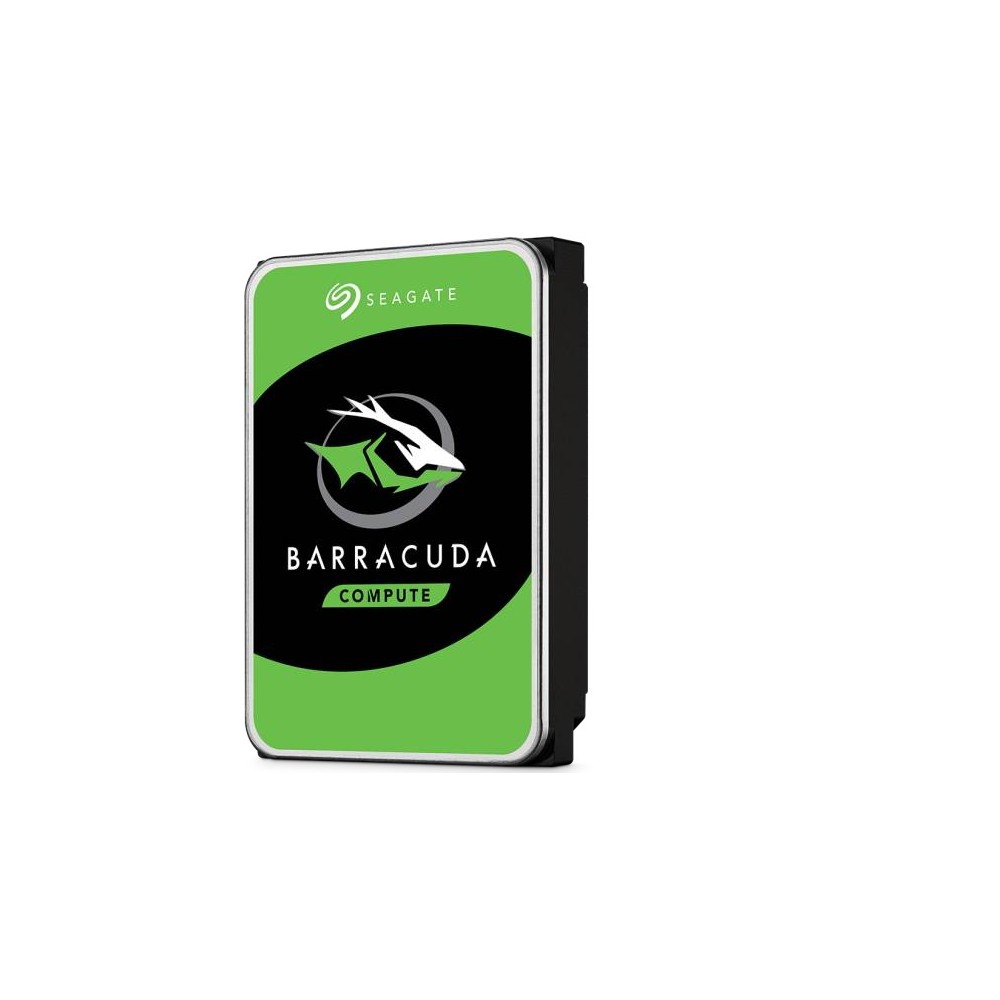
Seagate BarraCuda 3.5-inch Desktop Hard Drive (500GB-8TB family)
A 3.5-inch SATA desktop hard drive family from 500 GB to 8 TB, with 5,400 or 7,200 RPM, up to 256 MB cache, a 55 TB/year workload limit and a two-year warranty.
Full Specification Sheet
| Type | Internal HDD, desktop |
|---|---|
| Interface | SATA 6 Gb/s (supports 6.0 / 3.0 / 1.5 Gb/s) |
| Form Factor | 3.5-inch |
| Capacities | 500 GB, 1 TB, 2 TB, 3 TB, 4 TB, 6 TB, 8 TB |
| Spindle Speed | 5,400 RPM (2 TB ST2000DM005, 3 TB, 4 TB, 6 TB, 8 TB); 7,200 RPM (500 GB, 1 TB, 2 TB ST2000DM008) |
| Recording Technology | SMR (2 TB to 8 TB models); CMR (500 GB and 1 TB) |
| Cache | 256 MB (2 TB to 8 TB), 64 MB (1 TB), 32 MB (500 GB) |
| Max. Sustained Data Rate | 185-190 MB/s (5,400 RPM models), 210-220 MB/s (7,200 RPM models) |
| Workload Rate Limit | 55 TB per year |
| Power-On Hours | 2,400 per year |
| Operating Power (typical) | 5.3 W (6 TB, 8 TB), 3.7 W (2-4 TB, 5,400 RPM), 5.1-5.3 W (7,200 RPM models) |
| Dimensions | 101.85 x 146.99 mm; height 26.11 mm (6 TB, 8 TB) or 20.2 mm (2-4 TB, 5,400 RPM) |
| Operating Temperature | 0 C ambient minimum to 60 C drive case maximum |
| Warranty | 2-year limited |
The Seagate BarraCuda 3.5-inch family is Seagate's general-purpose hard drive line for desktop and all-in-one PCs and home servers. It offers inexpensive mass storage on a SATA 6 Gb/s interface in capacities from 500 GB to 8 TB. The data sheet we use lists eight models that differ considerably in spindle speed, cache size and recording technology, so it is worth looking at the exact model number before buying. This page summarises that data sheet. We have not tested the drives, and we give no prices or benchmark results of our own.
The models at a glance
Five models run at 5,400 RPM with a 256 MB cache: the 8 TB ST8000DM004, the 6 TB ST6000DM003, the 4 TB ST4000DM004, the 3 TB ST3000DM007 and the 2 TB ST2000DM005. Their maximum sustained data rate at the outer edge of the platters is 185 to 190 MB/s. Three models run at 7,200 RPM: the 2 TB ST2000DM008 with a 256 MB cache and up to 220 MB/s, the 1 TB ST1000DM010 with a 64 MB cache and up to 210 MB/s, and the 500 GB ST500DM009 with a 32 MB cache and up to 210 MB/s. All use SATA 6 Gb/s and also work on 3 Gb/s and 1.5 Gb/s ports.
Recording technology: SMR and CMR
The data sheet states the recording technology for every model. The 500 GB and 1 TB drives use conventional magnetic recording, or CMR. All models from 2 TB to 8 TB use shingled magnetic recording, or SMR. With SMR, data tracks partly overlap like roof shingles, which increases the capacity per platter and lowers the cost per terabyte. The drawback is that rewriting existing data is slower, because neighbouring tracks have to be rewritten as well; the drive hides this behind a cache area and reorganises data during idle time.
For typical desktop use, such as storing documents, photos, music, video and game installations, an SMR drive behaves normally, since writes come in bursts and the drive has time to tidy up. It is less suitable for workloads that write continuously for long periods or that rewrite large amounts of data randomly, and SMR drives are generally not recommended for RAID arrays, where a rebuild can take very long. Seagate itself positions the BarraCuda for desktops and home servers and offers separate families for NAS use.
Workload and reliability ratings
The ratings in the data sheet describe a drive for light duty. The workload rate limit is 55 TB per year, and the drives are specified for 2,400 power-on hours per year, which corresponds to about six and a half hours per day and not to continuous operation. The 5,400 RPM models and the 2 TB 7,200 RPM model are rated for 600,000 load/unload cycles, the 1 TB and 500 GB models for 50,000. The rate of non-recoverable read errors is at most one per 10 to the power of 14 bits read. The limited warranty is two years. A mean time between failures is not listed in the part of the data sheet we rely on.
Power and noise
Typical operating power is 5.3 watts for the 6 TB and 8 TB models and 3.7 watts for the 5,400 RPM models from 2 TB to 4 TB, with average idle power of 3.4 and 2.5 watts respectively. The 7,200 RPM models are listed at 5.1 to 5.3 watts in operation. Standby and sleep modes draw about 0.25 watts on the 5,400 RPM drives. These are low figures for 3.5-inch hard disks, and slower-spinning drives also tend to be quieter, although the data sheet excerpt we use gives no acoustic values.
Dimensions and environment
All models have the standard 3.5-inch footprint of 101.85 by 146.99 millimetres. The 6 TB and 8 TB drives are 26.11 millimetres high and weigh 610 and 630 grams, while the 5,400 RPM models from 2 TB to 4 TB are slimmer at 20.2 millimetres and 490 grams. The operating temperature range is from 0 °C ambient to a maximum drive case temperature of 60 °C, and the non-operating range is -40 to 70 °C. The drives are listed as halogen-free and RoHS compliant.
Hard disk or SSD?
A hard disk remains the most economical way to store several terabytes, but it is far slower than any SSD at starting an operating system or loading programs. The usual arrangement in a desktop is an SSD for the system and applications and a hard disk for bulk data. Our guide SSD vs HDD: do you still need a hard drive? goes through the considerations.
How it compares in our database
In our storage section, the direct counterpart is the WD Blue PC Desktop Hard Drive family, which targets the same desktop use and uses CMR on most of its models; the page BarraCuda vs WD Blue sets the two families side by side. We also list a single older model of this line, the Barracuda 500GB, as a separate entry.
Who it suits
The BarraCuda is a sensible choice for adding inexpensive storage to a desktop PC: a media collection, a games library that does not need SSD loading times, or a local copy of important files. It is not intended for NAS enclosures that run around the clock, for surveillance recorders or for servers, where drives rated for continuous operation and higher workloads are the appropriate tools. For backups, remember that a single drive inside the same computer does not protect against theft, fire or a power surge; our article on backup strategies with NAS and external drives describes safer set-ups.
Choosing a model
If rewriting performance matters, the CMR models with 500 GB and 1 TB are technically the simplest, though they are small. For capacity at the lowest cost, the 5,400 RPM SMR models from 4 TB to 8 TB are the obvious candidates. The two 2 TB models differ in speed: the ST2000DM008 spins at 7,200 RPM and reaches up to 220 MB/s, while the ST2000DM005 runs at 5,400 RPM.
Installation tips
A 3.5-inch drive needs a free bay, a SATA data cable to the motherboard and a SATA power connector. Mount it with all four screws or in the case's vibration-damped tray, and avoid moving the computer while the drive is running. New drives must be initialised and formatted in the operating system before they appear.
What the data sheet does not say
The data sheet revision we use dates from 2020 and covers the eight models named above; newer or regional variants may differ. It gives no acoustic figures and no mean time between failures in the section we rely on. Prices vary by country, retailer and capacity and are not listed on this page.