NAS vs External Drive: Building a Backup Strategy That Actually Works
Ask ten PC enthusiasts how they back up their data and you'll get ten different answers, and a surprising number of them will describe something that isn't actually a backup strategy at all — it's a single copy of their data sitting on a NAS, or a single external drive that hasn't been connected in eight months. Backup strategy is one of those topics everyone nods along to in principle and almost nobody implements correctly in practice. Let's fix that, starting with the one rule that actually matters.
The 3-2-1 Rule, and Why It's Still the Standard
The 3-2-1 backup rule has survived decades of changing storage technology because it addresses failure modes rather than specific hardware: keep 3 total copies of your data, on 2 different types of media, with 1 copy stored offsite. The "different media" part matters because a single failure mode — a bad batch of drives, a firmware bug, a power surge — can take out every drive of the same type and vintage simultaneously if they're all sitting in the same enclosure. The "offsite" part matters because fire, theft, flooding, and ransomware attacks that encrypt everything reachable on your network don't respect how well you've organized your local backups.
Why a NAS Alone Is Not a Backup
This is the single most common mistake, and it's worth stating plainly: RAID is not a backup. A NAS running RAID 5 or RAID 6 protects you against a drive failure — one or two drives can die and the array keeps running while you replace them. It does nothing to protect you against accidental deletion, ransomware encrypting every file the NAS can reach, a software bug corrupting data, or the NAS itself being stolen or destroyed in a fire. All of those failure modes replicate instantly across every drive in the array, because RAID's job is redundancy against hardware failure, not protection against data loss. If you're sizing a NAS for the first time, our guide on how many drives a home NAS needs and our deeper dive into RAID levels for NAS both cover this distinction, but it bears repeating here because it's the single biggest gap in most people's home backup setup.
What a NAS Is Genuinely Good At
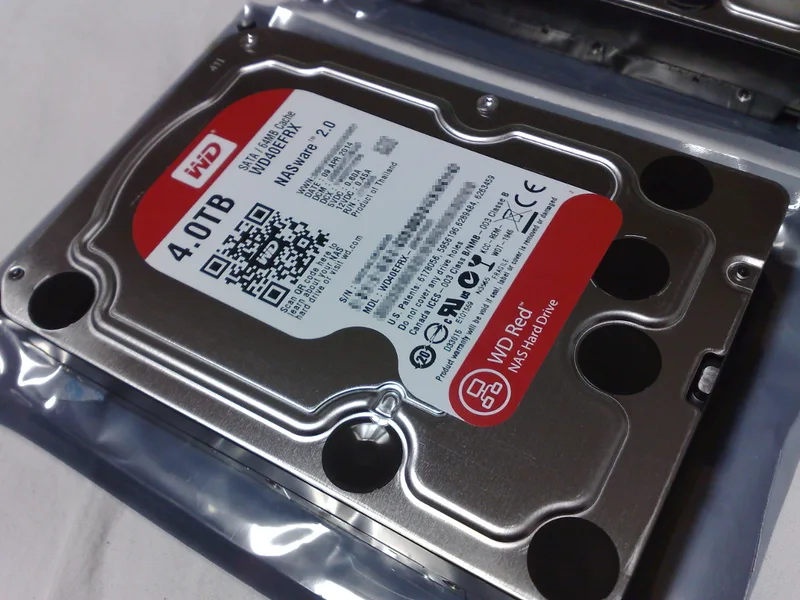
None of this means a NAS is a bad choice — it's an excellent working-data hub. It's always on, accessible from every device on your network without plugging anything in, and its RAID redundancy does protect you from the most statistically common failure event: a single drive dying. A NAS built around NAS-rated drives designed for continuous 24/7 operation and vibration resistance in multi-bay enclosures — the kind we benchmarked in our WD Red 4TB NAS HDD review — is the right tool for keeping your active, frequently accessed data available and resilient to the everyday failure of one drive. It's just not, by itself, a complete backup strategy.
Where External Drives Fit
An external drive is the opposite tradeoff: it's not always on, not automatically redundant, and it's a single point of failure if it's your only copy. But that "not always on" property is actually a feature for backup purposes — a drive that's disconnected from your network most of the time is immune to ransomware, which can only encrypt what it can reach. This is sometimes called an air-gapped or cold backup. The practical pattern: connect the external drive periodically (weekly or monthly, depending on how much data churn you can tolerate losing), run a backup job, then disconnect it and, ideally, store it somewhere physically separate from your main system. If you're deciding which type of external or internal drive fits a given role in your setup, our portable vs internal storage guide breaks down the practical differences in durability, speed, and use case.
Putting It Together: A Real 3-2-1 Setup
- Copy 1 — working data on the NAS: RAID-protected, always available, handles day-to-day drive failure without any data loss or downtime.
- Copy 2 — local external drive, rotated: a scheduled backup job copies critical data to an external drive that stays disconnected between backup runs, giving you a copy immune to ransomware and to any NAS-wide failure or misconfiguration.
- Copy 3 — offsite, via cloud or a second physical location: either an encrypted cloud backup service, or a second external drive kept at a different physical location (a family member's house, a safety deposit box, your workplace) that you rotate in periodically. This is the copy that survives a fire, flood, or theft at your primary location.
Cloud Backup: Cost, Encryption, and Restore Speed
Cloud storage is the most convenient way to satisfy the offsite leg of the 3-2-1 rule, but it comes with tradeoffs worth understanding before you rely on it as your only offsite copy. Ongoing subscription cost scales with how much data you store, which can get expensive fast for a media library measured in multiple terabytes — this is often where people quietly decide to back up only their genuinely irreplaceable files (documents, photos, project files) to the cloud, while treating large re-downloadable media libraries as lower priority. Upload speed on typical home internet connections can also make the initial backup of a large dataset take days or weeks, and restoring a large backup after a real disaster is bound by the same download speed limit, which matters if you're planning around how quickly you could actually get back up and running. Make sure any cloud backup service you choose encrypts data client-side before it leaves your network, not just in transit or at rest on their servers, so a breach on the provider's end doesn't expose your files in plain form.
Backup Software and Automation Matter More Than Hardware
A backup strategy that requires you to remember to manually run it will eventually fail — not because the hardware is inadequate, but because humans forget. Scheduled, automated backup software (built into most NAS operating systems, or third-party tools for external drive backups) removes the human failure point from the equation. Just as important: periodically verify your backups actually restore correctly. An untested backup is a hypothesis, not a safety net — corrupted archives, failed jobs that silently stopped running months ago, and incomplete copies are far more common than most people expect until the day they actually need to restore from one.
The Bottom Line
A NAS and an external drive aren't competing solutions — they're complementary pieces of a real backup strategy, and neither one alone is sufficient. The NAS handles everyday redundancy and access; the external drive handles the ransomware-immune, disconnected copy; and a genuine offsite copy handles the disaster scenario that takes out your entire home. Build all three layers, automate them, and actually test a restore at least once. That's the difference between a real backup strategy and just having your data in more than one place and hoping for the best.