Portable vs. Internal Storage: When Do You Actually Need an External Drive?
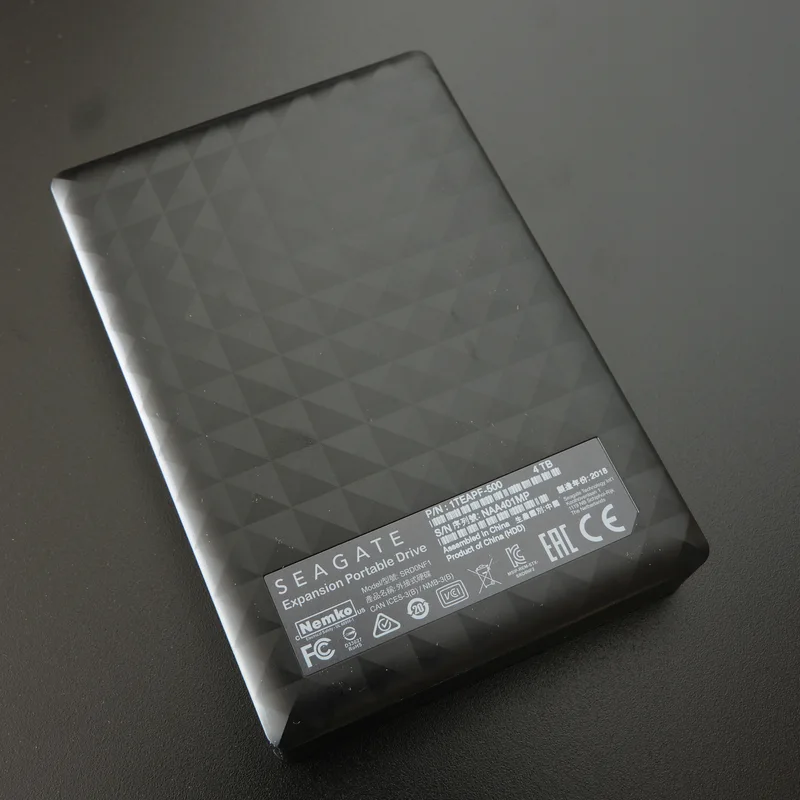
Internal NVMe storage has gotten fast and affordable enough that it is easy to assume external drives are becoming irrelevant — but portable drives like the Seagate Expansion Portable 4TB continue to solve real problems that no amount of internal drive speed actually addresses, and understanding which problem you are actually solving determines whether an internal upgrade or an external drive is the right purchase.
Portability is the most obvious reason to choose external storage, and it remains completely un-replicated by internal drives for an obvious reason: an internal drive cannot leave the case it is installed in. Anyone who needs the same large media library, project files, or game installs accessible across a desktop and a laptop, or who needs to physically hand a large file set to someone else without uploading it anywhere, has a need that only a portable drive genuinely solves — no internal upgrade, however fast, changes that basic physical constraint.
Backup strategy is the second major reason external storage remains relevant even in an NVMe-saturated build, and it connects directly to a principle worth taking seriously: a backup that lives in the same machine as the data it is protecting is not really protecting against the failure modes that matter most. Theft, fire, a failed motherboard taking a system down, or a ransomware infection that spreads across all locally connected drives simultaneously — a portable drive that is physically disconnected from the machine except during a backup window is protected against every one of those scenarios in a way an internal drive, however redundant, simply is not.
Capacity-per-dollar is where portable hard drives like the Expansion Portable 4TB still meaningfully outperform portable SSDs and internal NVMe storage alike. Spinning platter drives remain significantly cheaper per terabyte than flash storage at every capacity tier, and for the specific use case of bulk backup or archival storage that does not need to be accessed constantly at high speed, that price gap is the entire reason mechanical portable drives have not been fully displaced by SSDs the way internal boot drives largely have been.
Speed is the honest trade-off, and it is worth being clear-eyed about rather than treating a portable hard drive as a general-purpose fast storage solution. A mechanical portable drive tops out well below even a budget internal SATA SSD in sustained transfer speed, and it is noticeably slower still than any modern NVMe drive. For actively editing large video files, running games, or any workload where load times and transfer speed matter during regular use, internal NVMe storage is unambiguously the better choice — portable hard drives are built for capacity and portability, not speed, and trying to use one as a primary working drive for demanding tasks will be a consistently frustrating experience.
Portable SSDs occupy the middle ground worth knowing about, trading some of a mechanical portable drive's capacity-per-dollar advantage for dramatically better speed and much better shock resistance, since they have no spinning platter or moving read/write head to damage from a drop. For a buyer who needs portability specifically for active project work — editing video on location, moving large files between a desktop and laptop regularly during a workday — a portable SSD is frequently worth the price premium over a mechanical portable drive, while a buyer whose portable drive mainly sits in a drawer as an offline backup gets little practical benefit from paying that premium.
Durability considerations differ meaningfully between the two portable formats and are worth factoring into the decision alongside price and speed. A mechanical portable drive's spinning platter and moving heads make it genuinely more vulnerable to damage from drops or being knocked around during transport than a portable SSD's fully solid-state design — worth specific consideration for anyone who travels frequently with a drive rather than mostly using it stationary at a desk.
Common questions worth addressing directly: is a 4TB portable drive overkill for basic backup needs? For photo and document backups alone, likely yes, but for anyone backing up an entire media library, multiple devices, or large video projects, 4TB provides real headroom against having to manage capacity constantly. Should you use a portable drive as your only backup? No — the 3-2-1 backup principle (three copies, two media types, one off-site) still applies, and a single portable drive, however reliable, is still a single point of failure if it is the only backup copy that exists. Can a portable drive replace cloud backup entirely? For very large media libraries, a local portable drive is often more practical and cost-effective than paying for equivalent cloud storage capacity, though the two approaches work best as complements rather than either replacing the other entirely.
Connection interface matters more than people expect for a portable drive's real-world speed, and it is worth checking specifically rather than assuming any USB port delivers the same result. USB 3.2 Gen 2 and newer interfaces provide meaningfully more bandwidth than older USB 3.0 ports, and a portable drive's maximum rated speed is only achievable if both the drive's cable and the port it is plugged into support the faster standard — plugging a fast portable SSD into an older USB 3.0 port on an aging laptop will silently cap its performance well below what the drive is actually capable of, with no error message indicating why transfers feel slower than expected.
Physical durability features, like shock-resistant rubberized housings on some Seagate and Western Digital portable drives, are worth factoring in for anyone who transports a drive frequently rather than leaving it stationary at a desk. These features add real protection against the most common cause of portable drive failure — being dropped — without the full cost premium of a solid-state portable drive, making a ruggedized mechanical portable drive a reasonable middle option for buyers who need both meaningful capacity and better-than-average drop protection without paying full SSD pricing.
The bottom line: choose internal NVMe storage for anything you are actively working with day to day, where speed directly affects your experience. Choose a portable drive — our Expansion Portable 4TB review covers a real example — specifically for physical mobility between machines and for offline backup that is genuinely disconnected from your primary system, a role no amount of internal drive speed can substitute for. Our broader SSD vs. HDD guide covers the internal side of that decision.