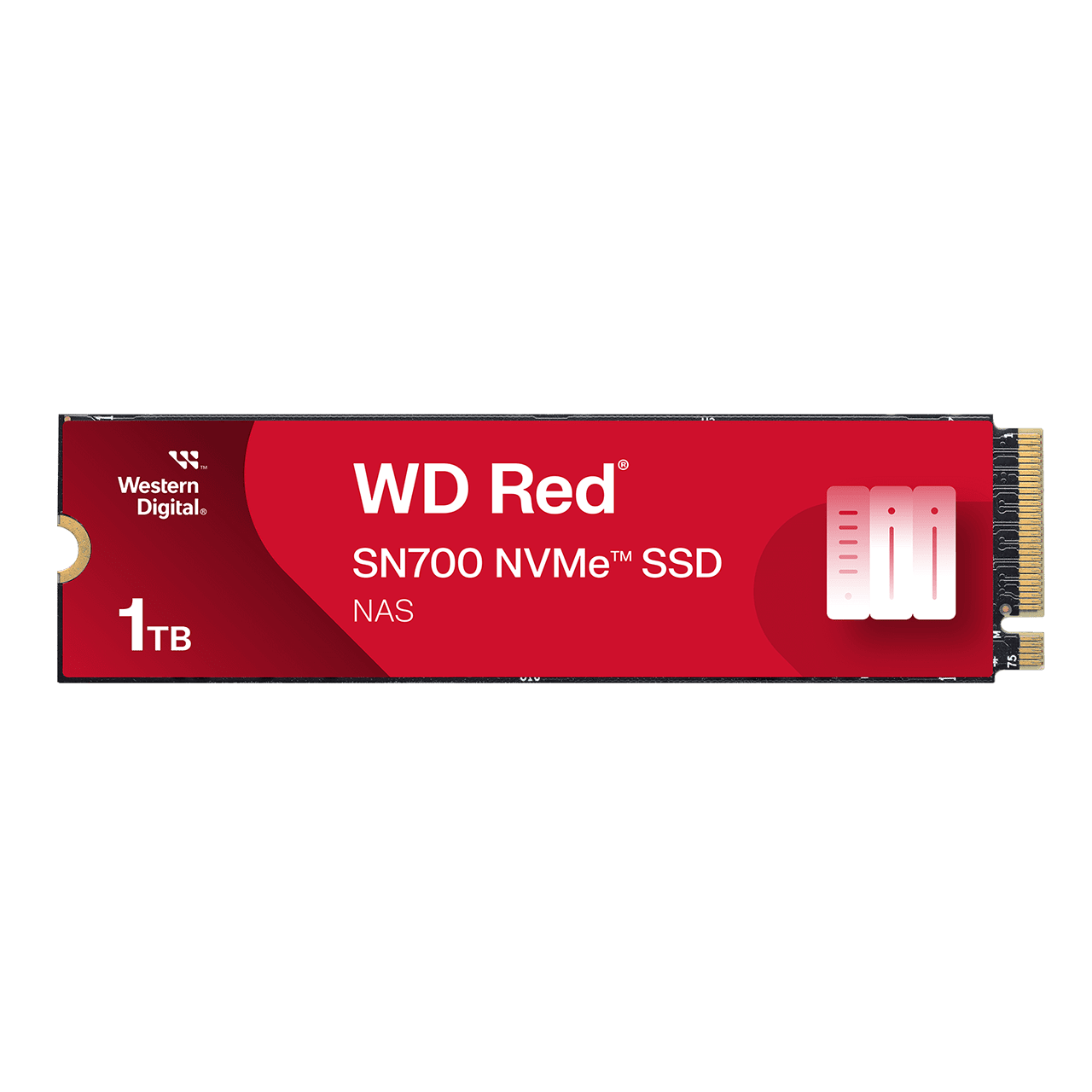
Western Digital WD Red SN700 NVMe SSD (250GB-4TB)
A PCIe Gen3 x4 M.2 2280 NVMe SSD family in 250 GB to 4 TB built for NAS caching, with up to 3,430 MB/s sequential read, up to 5,100 TBW of endurance and a five-year limited warranty.
Full Specification Sheet
| Capacities | 250 GB, 500 GB, 1 TB, 2 TB, 4 TB |
|---|---|
| Interface | PCIe Gen3 x4, NVMe |
| Form Factor | M.2 2280 (S3-M up to 2 TB, D5-M for 4 TB) |
| Sequential Read | 3,100 / 3,430 / 3,430 / 3,400 / 3,400 MB/s (250 GB to 4 TB) |
| Sequential Write | 1,600 / 2,600 / 3,000 / 2,900 / 3,100 MB/s |
| Random Read | 220K / 420K / 515K / 480K / 550K IOPS |
| Random Write | 180K / 380K / 560K / 540K / 520K IOPS |
| Endurance (TBW) | 500 / 1,000 / 2,000 / 2,500 / 5,100 TB |
| Intended Use | High-intensity NAS workloads and caching |
| Warranty | 5-year limited (or TBW limit, whichever occurs first) |
| Model Numbers | WDS250G1R0C, WDS500G1R0C, WDS100T1R0C, WDS200T1R0C, WDS400T1R0C |
| Operating Temperature | 0 to 70 C |
The WD Red SN700 NVMe SSD is a solid state drive for network-attached storage. It uses a PCIe Gen3 x4 NVMe interface in the M.2 2280 format and comes in five capacities from 250 GB to 4 TB. Western Digital's product page describes it as a fast-caching drive for extreme workloads in high-intensity NAS environments, with system responsiveness and I/O performance suited to multi-user, multitasking applications such as virtualization, collaborative editing and intensive database storage. This page walks through the figures the manufacturer publishes, turns a few into arithmetic that is easier to picture and leaves out anything the page does not state, such as the controller, the NAND type and a price. There are no benchmarks and no test results here, and this site has not tested the drive. It is an unusual entry among our storage pages because its selling point is endurance and NAS use, not peak speed.
What the drive is for
Most consumer NVMe drives are designed for a single user on a desktop or laptop. The SN700 is designed for the other end of the spectrum: a NAS that many people or many virtual machines use at once. The page's wording is that it is ideal for tackling high-intensity NAS workloads with exceptional reliability and endurance, and that it helps tame tough projects like virtualization and collaborative editing. The page also names efficient caching and lower total cost of ownership as benefits. In a NAS, an SSD is commonly used as a cache in front of slower hard drives or as a fast storage volume for active projects; that use is general background and not spelled out in the page. Because a cache drive receives constant small writes, its endurance rating matters more than for a home drive, which is why the endurance figures below are the headline of this entry. For the balance between drives and flash in a home or office storage setup, see our guide to how many drives a home NAS needs.
Interface and form factor
All capacities use PCIe Gen3 x4 with NVMe. That is one generation behind the PCIe 4.0 drives that dominate desktop reviews, and the speed figures below reflect it. It is also the interface that many NAS enclosures with M.2 slots provide, so a Gen3 drive is not held back by a slot that runs at Gen3 in any case, though the page does not list which enclosures it supports. The form factor is M.2 2280 for every capacity. Western Digital adds notes to the designations: the 250 GB to 2 TB models are listed as M.2 2280 S3-M and the 4 TB model as M.2 2280 D5-M. The S and D letters mark single-sided and double-sided module layouts, and the M is the key type; that decoding is general background and not spelled out on the page, but it matters in practice because a double-sided drive is thicker and may not fit under every heatsink. Dimensions are listed as 3.15 x 0.87 x 0.09 for length, width and height, without a unit; the length matches the 80 mm of the M.2 2280 format only if the unit is inches, which is therefore the likely unit. The weight is 7.5 grams.
Speed by capacity
Western Digital publishes a row for each capacity. Sequential read is 3,100 MB/s at 250 GB, 3,430 MB/s at 500 GB and 1 TB, and 3,400 MB/s at 2 TB and 4 TB. Sequential write rises with capacity from 1,600 MB/s at 250 GB to 2,600 MB/s at 500 GB, 3,000 MB/s at 1 TB, 2,900 MB/s at 2 TB and 3,100 MB/s at 4 TB. Random read is 220K IOPS at 250 GB, 420K at 500 GB, 515K at 1 TB, 480K at 2 TB and 550K at 4 TB, and random write is 180K, 380K, 560K, 540K and 520K IOPS respectively. Two things stand out. First, the 250 GB model writes at about half the speed of the larger ones (1,600 versus up to 3,100 MB/s, arithmetic from the page), the usual pattern where small drives have fewer flash chips to write to in parallel. Second, the 1 TB drive has the highest random write figure of the five. For NAS caching, random performance matters more than sequential speed, and the numbers are in the hundreds of thousands of operations per second. As background, SATA SSDs top out at roughly 550 MB/s, so even the Gen3 SN700 is several times faster in sequential reads than a SATA drive. For the wider case for flash over spinning disks, see our comparison of SSDs and hard drives in 2026.
Endurance: the headline figure
The endurance ratings, in terabytes written (TBW), are 500 TBW at 250 GB, 1,000 TBW at 500 GB, 2,000 TBW at 1 TB, 2,500 TBW at 2 TB and 5,100 TBW at 4 TB, and the page repeats the top figure as endurance of up to 5,100 TBW. The warranty is five years or the maximum TBW limit, whichever occurs first. Some arithmetic shows the scale. Over the five-year warranty period, 500 TBW is about 274 GB per day, 1,000 TBW about 548 GB per day, 2,000 TBW about 1.1 TB per day, 2,500 TBW about 1.4 TB per day and 5,100 TBW about 2.8 TB per day (arithmetic from the stated ratings, not a prediction of use). As multiples of capacity, the 250 GB, 500 GB and 1 TB models are all rated at 2,000 full-drive writes, and the 2 TB and 4 TB models at about 1,250 and 1,275. Compared with the WD Blue SN5000 in our database, whose 500 GB model is rated at 300 TBW, the SN700 500 GB is rated at 1,000 TBW, a little over three times as much for the same capacity (arithmetic from the two pages). That is the practical difference between a drive built for a desktop and one built for a busy NAS. If you want to understand how the rating is defined and why it matters, read our guide to SSD endurance and the TBW rating.
Operating conditions
The page lists an operating temperature range of 0 to 70 degrees Celsius and a non-operating range of minus 55 to 85 degrees Celsius. The operating ceiling of 70 degrees is lower than the 85 degrees that Western Digital lists for its desktop WD Blue SN5000, so airflow inside a small NAS enclosure is worth checking; the page does not say how hot the drive runs in use, and it lists no power-consumption figure. The page gives no mean time between failures.
Model numbers and how to pick a capacity
The five capacities carry the model numbers WDS250G1R0C, WDS500G1R0C, WDS100T1R0C, WDS200T1R0C and WDS400T1R0C, with retail suffixes ending in -68BDK0. Choosing a capacity for a cache is different from choosing for a home drive. The cache does not need to be large enough to hold everything, only to hold the working set that the users hit repeatedly; a larger drive, however, offers more endurance in absolute terms because the TBW rating scales with capacity, so buyers who worry about wear sometimes buy more capacity than the cache strictly needs. That is a general consideration and not a recommendation of the manufacturer.
How it fits in our database
Our database lists Western Digital's spinning-disk NAS option, the WD Red 4 TB NAS hard drive, and this SN700 is its flash counterpart from the same Red family; the two are complementary in a NAS rather than competing. For a look at how the SN700 differs from a mainstream desktop drive, open the side-by-side comparison of the SN700 and the SN5000, and browse all the drives in the storage category. Every value on this page is a manufacturer specification taken from Western Digital's product page and not a measured result.
What the page does not say
The product page does not state a price, a launch date, the controller, the NAND type, sustained write speeds, power consumption, a DRAM cache detail or a list of compatible NAS enclosures. Before buying, check that your NAS supports an M.2 NVMe drive of this size and thickness, and use the manufacturer's model number to find the exact capacity you need.