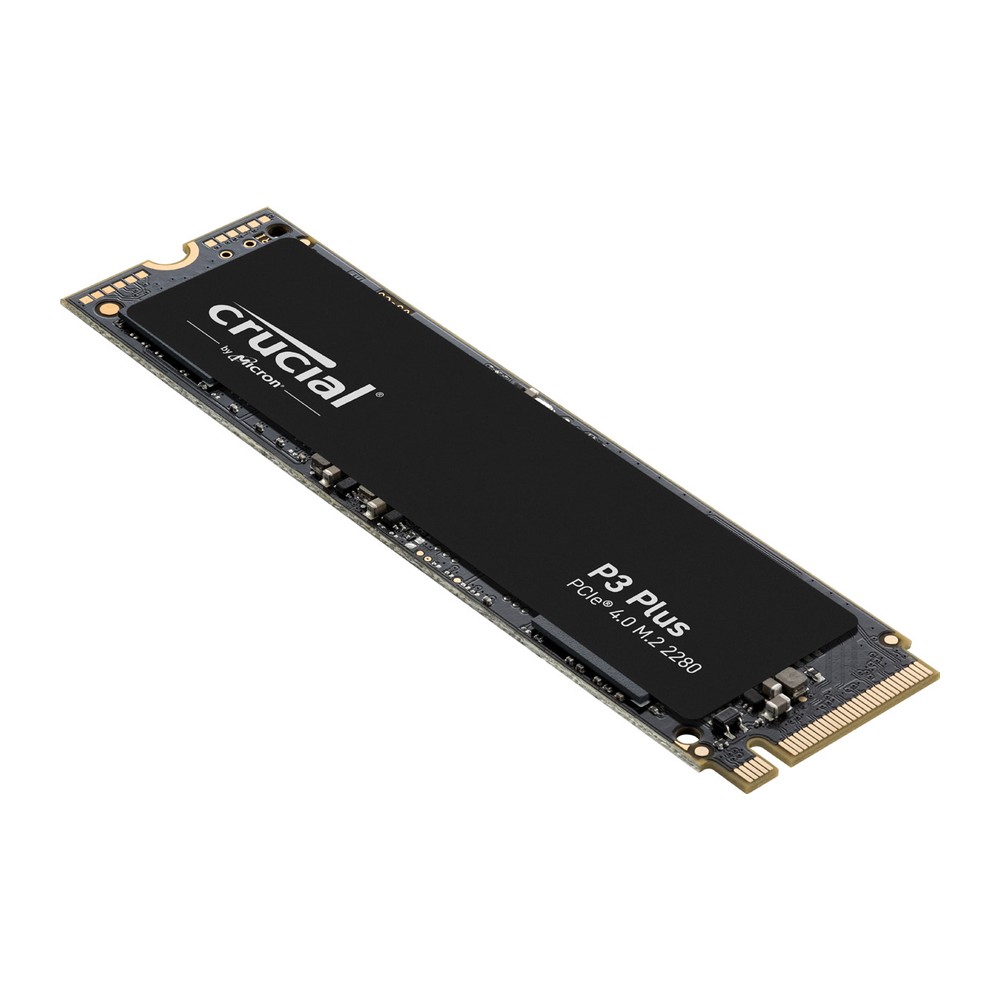
Crucial P3 Plus PCIe 4.0 NVMe SSD (500GB-4TB)
A value PCIe 4.0 NVMe SSD in M.2 2280 with 500 GB to 4 TB, rated up to 5,000/4,200 MB/s, up to 800 TBW and a five-year limited warranty.
Full Specification Sheet
| Type | Internal SSD, NVMe (client) |
|---|---|
| Interface | PCIe 4.0, NVMe (backward compatible with PCIe 3.0) |
| Form Factor | M.2 2280 |
| Capacities | 500 GB, 1 TB, 2 TB, 4 TB |
| NAND | Micron Advanced 3D NAND (launched with 176-layer NAND) |
| Sequential Read | Up to 4,700 MB/s (500 GB), 5,000 MB/s (1 TB and 2 TB), 4,800 MB/s (4 TB) |
| Sequential Write | Up to 1,900 MB/s (500 GB), 3,600 MB/s (1 TB), 4,200 MB/s (2 TB), 4,100 MB/s (4 TB) |
| Endurance (TBW) | 110 TB (500 GB), 220 TB (1 TB), 440 TB (2 TB), 800 TB (4 TB) |
| Features | Dynamic write acceleration, RAIN, multistep data integrity algorithm, adaptive thermal protection, integrated power loss immunity, TRIM, SMART, ECC, device sleep |
| Software | Crucial Storage Executive, Acronis True Image for Crucial |
| Operating Temperature | 0 to 70 C |
| MTTF | 1,500,000 hours |
| Warranty | 5-year limited (or TBW, whichever comes first) |
The Crucial P3 Plus is the PCIe 4.0 version of Crucial's affordable P3 line. It keeps the same idea, an inexpensive M.2 2280 drive with generous capacities up to 4 TB, and raises the sequential speeds to as much as 5,000 MB/s for reading and 4,200 MB/s for writing by moving to the faster interface. Crucial describes it as an NVMe drive for mainstream users such as home users, students, office professionals, creatives and gamers who want a balance of affordable capacity and Gen4 performance. This page summarises the official product flyer. We have not tested the drive, and no prices or measurements of our own are given.
Interface and compatibility
The P3 Plus uses PCIe 4.0 with the NVMe protocol in the M.2 2280 format. The flyer states that it offers flexible backward compatibility with most Gen3 systems, where it runs at the lower speed of that interface. It likewise fits PCIe 5.0 slots and operates there at Gen4 speed. Whether a system benefits from Gen4 at all depends on the slot, and our Gen4 vs Gen5 upgrade guide explains how to tell which generation a motherboard or laptop provides.
Speed by capacity
Unlike many flyers, this one lists sequential speeds for each capacity. The 500 GB model is rated at up to 4,700 MB/s for reading and 1,900 MB/s for writing. The 1 TB model reaches 5,000 MB/s and 3,600 MB/s. The 2 TB model is the fastest, at 5,000 MB/s and 4,200 MB/s, and the 4 TB model follows closely with 4,800 MB/s and 4,100 MB/s. The figures are typical values measured with CrystalDiskMark with the command queue full and the write cache enabled on a fresh drive.
Two things stand out. First, write performance climbs steeply with capacity, so the 500 GB model writes at less than half the rate of the 2 TB model. Second, the headline figure of 5,000/4,200 MB/s applies only to one capacity. Random performance in IOPS is not published. The drive uses dynamic write acceleration, a fast write buffer, and the flyer does not state the write speed that remains once that buffer is full.
NAND and unspecified details
Crucial states that the drive is built with Micron Advanced 3D NAND and launched with 176-layer NAND, and it reserves the right to change between NAND series in later production. The number of bits per cell is not given, and neither the controller nor the presence of a DRAM cache is mentioned. Since these points are not documented in the flyer, we leave them open. They matter mainly for sustained heavy writing and for behaviour when the drive is almost full, and less for everyday use.
Endurance and warranty
The endurance ratings are the same as for the Gen3 P3: 110 TB for 500 GB, 220 TB for 1 TB, 440 TB for 2 TB and 800 TB for 4 TB. That equals 220 full drive writes, or 200 in the case of the 4 TB model. Many competing Gen4 drives are rated for about 600 TB per terabyte of capacity, so the P3 Plus is clearly a drive for light to moderate write loads. For typical use this is no obstacle, as a household PC seldom writes more than a few terabytes per year. The warranty is limited to five years or the published TBW value as measured in the drive's SMART data, whichever comes first, and mean time to failure is stated as 1.5 million hours. Our article TBW endurance ratings explained puts such numbers into context.
Reliability features
The feature list covers Redundant Array of Independent NAND (RAIN), a multistep data integrity algorithm, error correction code, adaptive thermal protection and integrated power loss immunity, together with active garbage collection, TRIM, SMART and device sleep support. Adaptive thermal protection means the drive lowers its activity when it gets hot, protecting the data and the hardware at the cost of temporary speed. The operating temperature range is 0 to 70 °C.
Software
As with other Crucial drives, the Storage Executive tool handles monitoring and firmware updates, and Acronis True Image for Crucial is available for cloning an existing system onto the new drive.
How it compares in our database
Within our storage section, the P3 Plus sits one step above the Crucial P3, which offers the same capacities and endurance at PCIe 3.0 speeds. Its closest rival from another brand is the WD Blue SN5000, a PCIe 4.0 value drive in the same four capacities that publishes random IOPS for every size and is rated for higher endurance on the smaller models. The page P3 Plus vs WD Blue SN5000 lists both sets of figures.
Who it suits
The P3 Plus is a sensible choice for a general-purpose PC or laptop with a PCIe 4.0 slot, for a games drive, and for people who want 2 TB or 4 TB of fast storage without paying for a flagship model. It is also a reasonable upgrade for a Gen3 system that may be replaced later, since the drive can move to the new machine. Heavy users who write large volumes every day, or who need verified sustained write speeds, are better served by a drive with higher endurance and published random performance.
Choosing a capacity
Given the per-capacity figures, the 1 TB and 2 TB models are the most balanced. The 500 GB version is held back by its write rating of 1,900 MB/s and by an endurance of 110 TB. The 4 TB version is slightly slower than the 2 TB one on paper but offers the most space per slot, which is valuable in laptops and small PCs with a single M.2 position.
Installation tips
The card is inserted at an angle, pressed down and fixed with a screw or latch. No heatsink is supplied. In a desktop, placing the drive under the motherboard's M.2 cover helps keep temperatures down during long transfers. To see Gen4 speeds, use a slot that is wired for PCIe 4.0; on many boards only some of the M.2 positions are.
What the flyer does not say
The flyer provides no random IOPS, no power consumption figures, no cell type, no controller name and no release date. Prices vary by country, retailer and capacity and are not listed on this page.