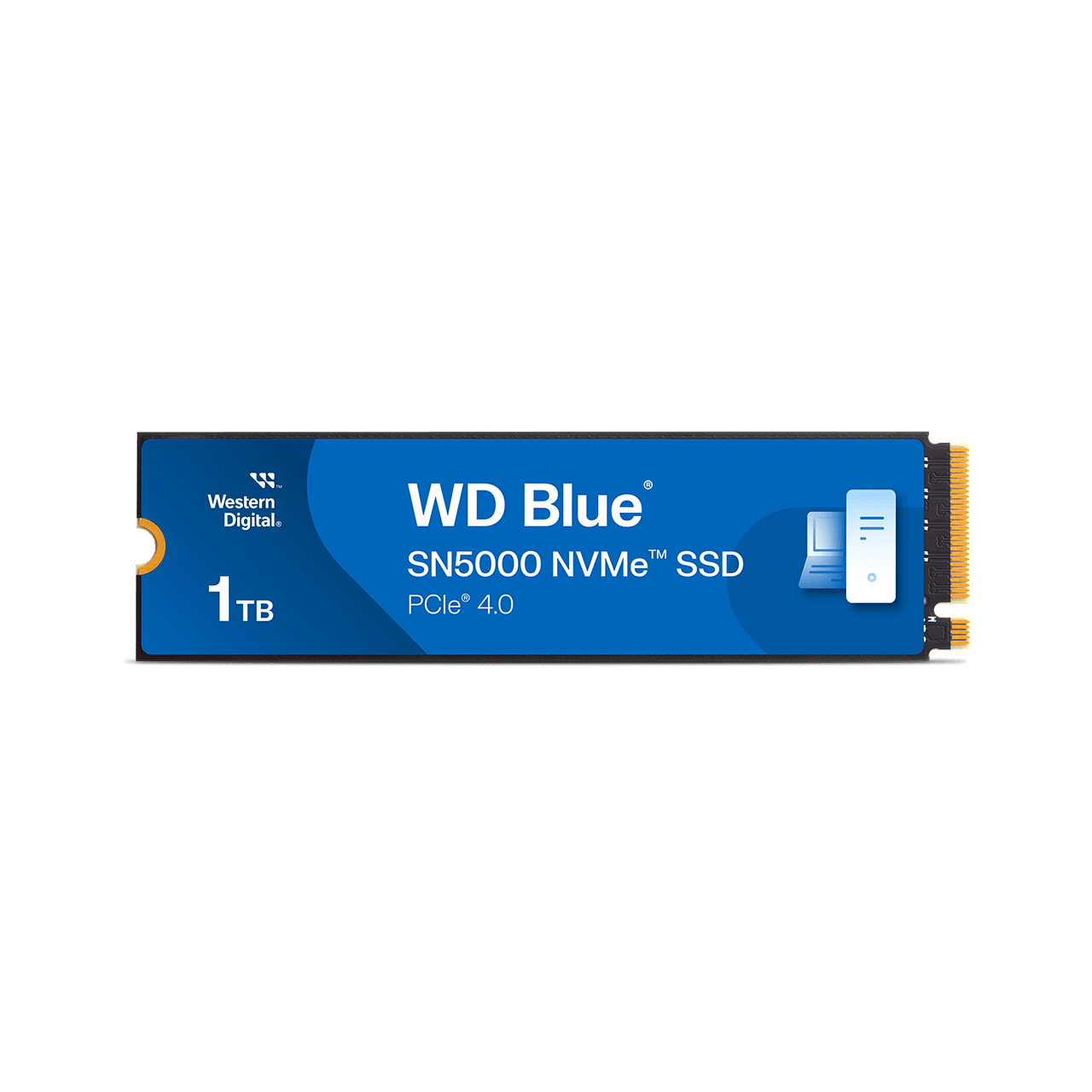
Western Digital WD Blue SN5000 NVMe SSD (500GB-4TB)
A PCIe 4.0 x4 M.2 2280 NVMe SSD family in 500 GB to 4 TB with up to 5,500 MB/s sequential read, up to 5,000 MB/s sequential write, up to 1,200 TBW and a five-year limited warranty.
Full Specification Sheet
| Capacities | 500 GB, 1 TB, 2 TB, 4 TB |
|---|---|
| Interface | PCIe 4.0 x4, NVMe |
| Form Factor | M.2 2280 |
| Sequential Read | 5,000 / 5,150 / 5,150 / 5,500 MB/s (500 GB / 1 TB / 2 TB / 4 TB) |
| Sequential Write | 4,000 / 4,900 / 4,850 / 5,000 MB/s |
| Random Read | 460K / 730K / 650K / 690K IOPS |
| Random Write | 770K / 770K / 770K / 900K IOPS |
| Endurance (TBW) | 300 / 600 / 900 / 1,200 TB |
| Caching Technology | Western Digital nCache 4.0 |
| Warranty | 5-year limited (or TBW limit, whichever occurs first) |
| Model Numbers | WDS500G4B0E, WDS100T4B0E, WDS200T4B0E, WDS400T4B0E |
| Operating Temperature | 0 to 85 C |
The WD Blue SN5000 NVMe SSD is a PCIe 4.0 x4 solid state drive in the M.2 2280 form factor, offered in four capacities from 500 GB to 4 TB. Western Digital describes it as next-generation storage designed for creators and professionals, built around NVMe, PCIe Gen 4 and its nCache 4.0 technology. This page walks through the figures the manufacturer publishes on the product page, converts a few of them into arithmetic that is easier to picture, and leaves out anything the page does not state, including the controller, the NAND type, any DRAM cache detail and a price. There are no benchmarks and no test results here, and this site has not tested the drive. The manufacturer's own disclosures say its speed figures come from internal testing and vary with the host device, usage conditions and capacity, and they are quoted here as such. Note also that the product page carries a notice saying the product is no longer available on the Sandisk online store, so availability should be checked with retailers.
Interface and form factor
All four capacities use a PCIe 4.0 x4 interface and the M.2 2280 form factor, which means a slot 22 mm wide and 80 mm long that accepts the drive directly on most current motherboards and many laptops. The page's compatibility note is short: the drive requires an M.2 2280 port, and compatibility may vary with the user's hardware configuration and operating system. It does not list PCIe 5.0 support, and a PCIe 4.0 drive works in a Gen5 slot at its own Gen4 speed, though that is background knowledge and not something the page states. Physical dimensions are given as 3.16 x 0.87 x 0.09 for length, width and height, with no unit; The length figure of 3.16 matches the 80 mm length of the M.2 2280 format only if the unit is inches (about 80.3 mm), which is therefore the likely unit, and the weight is listed as 5.7 grams. If you are choosing between M.2 and SATA drives, our guide to M.2 versus SATA SSDs explains the difference in practice.
Speed by capacity
Western Digital publishes a separate row for each capacity, and the differences are worth reading. Sequential read is up to 5,000 MB/s at 500 GB, 5,150 MB/s at 1 TB and 2 TB, and 5,500 MB/s at 4 TB. Sequential write is up to 4,000 MB/s at 500 GB, 4,900 MB/s at 1 TB, 4,850 MB/s at 2 TB and 5,000 MB/s at 4 TB. Random read is 460K IOPS at 500 GB, 730K at 1 TB, 650K at 2 TB and 690K at 4 TB, and random write is 770K IOPS for the first three capacities and 900K at 4 TB. The pattern is that the smallest drive is the slowest at writing, which is normal for SSDs because larger drives spread data across more flash chips at once, and that the 1 TB model has the highest random read figure and slightly faster sequential write than the 2 TB one. The page also gives a headline of up to 5,500 MB/s read for the 4 TB model. As arithmetic, the 500 GB drive's sequential write of 4,000 MB/s would fill its full capacity in about 125 seconds, and the 4 TB drive's 5,000 MB/s would fill in about 800 seconds (13 minutes), if the drive could sustain the quoted speed the whole way, which real drives generally cannot; the page does not state sustained write speeds. For how these ratings compare with the current field, see our NVMe SSD buying guide.
Endurance
The endurance rating, in terabytes written (TBW), rises with capacity: 300 TBW at 500 GB, 600 TBW at 1 TB, 900 TBW at 2 TB and 1,200 TBW at 4 TB. The disclosures say the TBW values were calculated using the JEDEC client workload (JESD219) and vary by capacity, and the warranty is five years or the maximum TBW limit, whichever occurs first. Some arithmetic makes the numbers concrete. Spread over the five-year warranty, 300 TBW is about 164 GB per day, 600 TBW about 329 GB per day, 900 TBW about 493 GB per day and 1,200 TBW about 658 GB per day (arithmetic from the stated ratings, not a prediction of use). Expressed as full-drive writes, 300 TBW on a 500 GB drive is 600 times its capacity, 600 TBW on 1 TB is also 600 times, 900 TBW on 2 TB is 450 times and 1,200 TBW on 4 TB is 300 times. That last ratio shows that the biggest capacity has the lowest endurance relative to its size, although in absolute terms it can absorb the most data. Almost all home users write far less than these figures, but the rating exists so you can compare drives; our guide to SSD endurance and the TBW rating explains it in full.
nCache 4.0 and what the page does not say about caching
Western Digital names nCache 4.0 as the caching technology in the product description, and describes the combination of NVMe, PCIe Gen 4 and nCache 4.0 as what accelerates a creative workflow. The page does not explain how nCache 4.0 works, how large the cache is or whether the drive has its own DRAM, and it does not name the controller or the NAND type. That means this page cannot say how the drive behaves during a long write, a topic where independent testing matters, or how the drive handles a nearly full state. In general terms, most consumer NVMe drives use a fast temporary write cache in front of slower main flash, and sustained speeds after the cache fills are lower than the headline figures; that is background knowledge and not a statement about this model.
Operating conditions and reliability data
The operating temperature range is 0 to 85 degrees Celsius, and the non-operating range is minus 40 to 85 degrees Celsius. The page does not give a mean time between failures or power-consumption figures, so neither is quoted here. NVMe drives in this class can run warm under sustained load, and a motherboard's M.2 heatsink helps keep temperatures inside the range; the drive is listed without a heatsink on its own. Our guide to the Gen4 versus Gen5 NVMe upgrade discusses how thermal behaviour changes with faster drives.
Model numbers and software
The four capacities carry the model numbers WDS500G4B0E (500 GB), WDS100T4B0E (1 TB), WDS200T4B0E (2 TB) and WDS400T4B0E (4 TB), with retail suffixes such as -00CNZ0 for the first three and -00BKY0 for the 4 TB model. The page says a free Acronis True Image download for Western Digital is available for data migration, with a five-year licence that must be redeemed within 90 days of purchase, and that a downloadable dashboard application monitors the drive's performance and available space and offers firmware updates and SMART information. The drive is intended to be plugged into a compatible M.2 slot, and if it will be your system drive, migration software is the easiest way to move an existing installation.
How it fits in our database
The SN5000 is Western Digital's mainstream Gen4 model and does not chase the top of the range. Our database already lists the faster WD_BLACK SN850X, and you can set the two side by side in the comparison of the SN5000 and the SN850X; the Samsung 990 EVO Plus is another mainstream option from a different manufacturer. To see all the drives we cover, browse the storage category. Every value here is a manufacturer specification, taken from Western Digital's product page, and not a measured result.
What the page does not say
The product page carries no price, no launch date, no controller or NAND details, no sustained write speeds, no power-consumption figures and no MTBF. It also carries a notice about availability on Sandisk's own store. When you shop, compare capacity, warranty and price and remember that the speed figures are the manufacturer's maximums for the largest capacities.