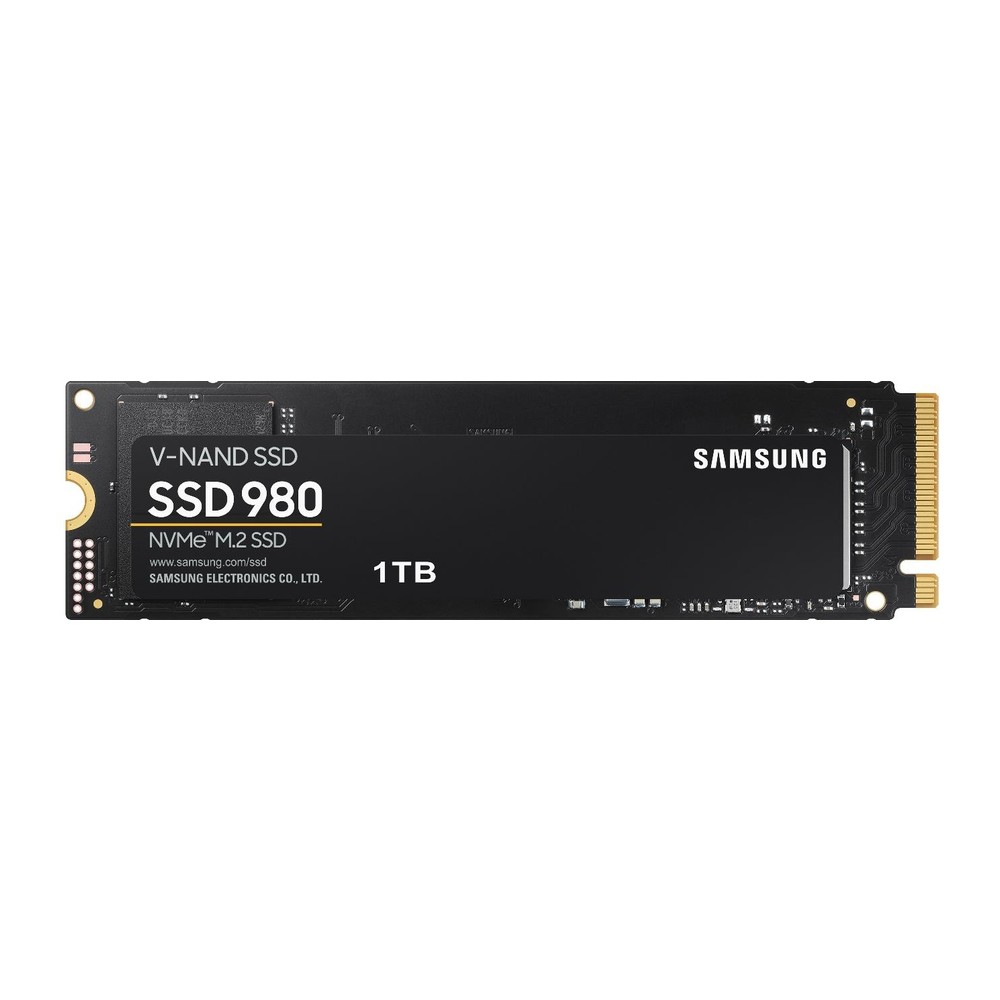
Samsung 980 NVMe SSD (250GB-1TB)
A DRAM-less PCIe 3.0 x4 NVMe SSD in M.2 2280 with TLC V-NAND, 250 GB to 1 TB, rated up to 3,500/3,000 MB/s and up to 600 TBW with a five-year warranty.
Full Specification Sheet
| Type | Internal SSD, NVMe (client) |
|---|---|
| Interface | PCIe 3.0 x4, NVMe 1.4 |
| Form Factor | M.2 2280 (max. 80.15 x 22.15 x 2.38 mm) |
| Capacities | 250 GB, 500 GB, 1 TB |
| Controller | Samsung in-house controller |
| NAND | Samsung V-NAND 3-bit MLC (TLC) |
| DRAM Cache | None listed (DRAM-less design) |
| Sequential Read | Up to 2,900 MB/s (250 GB), 3,100 MB/s (500 GB), 3,500 MB/s (1 TB) |
| Sequential Write | Up to 1,300 MB/s (250 GB), 2,600 MB/s (500 GB), 3,000 MB/s (1 TB) |
| Random Read 4K (QD32) | Up to 230,000 (250 GB), 400,000 (500 GB), 500,000 (1 TB) IOPS |
| Random Write 4K (QD32) | Up to 320,000 (250 GB), 470,000 (500 GB), 480,000 (1 TB) IOPS |
| Endurance (TBW) | 150 TB (250 GB), 300 TB (500 GB), 600 TB (1 TB) |
| Power (active, avg.) | Read 3.7 / 4.3 / 4.5 W, write 3.2 / 4.2 / 4.6 W (250 GB / 500 GB / 1 TB) |
| Encryption | AES 256-bit, TCG Opal 2.0, IEEE 1667 |
| Operating Temperature | 0 to 70 C |
| MTBF | 1,500,000 hours |
| Warranty | 5-year limited (or TBW, whichever comes first) |
The Samsung 980, sold without the "PRO" or "EVO" suffix, is Samsung's entry-level NVMe drive of the PCIe 3.0 generation. It keeps the company's own controller and 3-bit V-NAND but leaves out the dedicated DRAM cache found in the EVO and PRO lines, which lowers cost and power consumption. The data sheet lists three capacities, 250 GB, 500 GB and 1 TB, with sequential speeds of up to 3,500 MB/s for reading and 3,000 MB/s for writing on the largest model. This page summarises the manufacturer's specification. We have not tested the drive, and we give no prices or benchmark figures of our own.
Interface and format
The 980 uses PCIe Gen 3.0 with four lanes and NVMe 1.4, in the M.2 2280 format with maximum dimensions of 80.15 by 22.15 by 2.38 millimetres. It fits any NVMe-capable M.2 slot of that length in a desktop or laptop and also runs in PCIe 4.0 and 5.0 slots at Gen3 speed. Compared with a SATA SSD, which is limited to roughly 550 MB/s, even this entry-level NVMe drive is several times faster in sequential transfers; our M.2 vs SATA guide explains why the two are not interchangeable and how to tell which type a slot accepts.
Speed by capacity
Performance differs markedly between the three sizes. Sequential read is rated at up to 2,900 MB/s for 250 GB, 3,100 MB/s for 500 GB and 3,500 MB/s for 1 TB. Sequential write is up to 1,300 MB/s for 250 GB, 2,600 MB/s for 500 GB and 3,000 MB/s for 1 TB. The 250 GB model therefore writes at less than half the speed of the 1 TB model, a wider gap than on many competing drives.
The same pattern appears in the random figures at queue depth 32: up to 230,000, 400,000 and 500,000 IOPS for reads and 320,000, 470,000 and 480,000 IOPS for writes, for 250 GB, 500 GB and 1 TB respectively. At queue depth 1, all three are listed at 17,000 IOPS for reads and 53,000 to 54,000 IOPS for writes. Samsung notes that write performance was measured with Intelligent TurboWrite active and that this buffer works only within a specific transfer size, so the write speed of long copies will fall below the headline figure once the buffer is exhausted.
The DRAM-less design
The data sheet shows no DRAM cache for the 980. Drives of this kind keep only a small part of their address mapping table in memory and, where the system supports it, borrow a little of the computer's own RAM through the NVMe Host Memory Buffer feature. The approach saves a component and reduces power draw, and for typical home and office use the difference from a DRAM-equipped drive is small. Under heavy random workloads, or when the drive is nearly full, a DRAM-less SSD has less headroom. Our article on DRAM cache versus DRAM-less SSDs describes the trade-off in detail.
NAND, endurance and warranty
The flash memory is Samsung V-NAND 3-bit MLC, in other words TLC, which is a positive point in a price class where some manufacturers use QLC or do not state the cell type at all. Total bytes written are 150 TB for 250 GB, 300 TB for 500 GB and 600 TB for 1 TB, the equivalent of 600 full drive writes and the same ratio as on Samsung's more expensive EVO models. The limited warranty runs for five years or until the TBW figure is reached. Mean time between failures is 1.5 million hours.
Power and temperature
Lower power consumption is one of the benefits of the simpler design. Average active power is listed as 3.7, 4.3 and 4.5 watts for reading and 3.2, 4.2 and 4.6 watts for writing on the 250 GB, 500 GB and 1 TB models. Idle power with active state power management is 45 milliwatts, and the L1.2 state draws 5 milliwatts. The operating temperature range is 0 to 70 °C as reported by the drive's sensor, and proper airflow is recommended. The modest power draw makes the 980 a reasonable fit for thin laptops and compact PCs, where cooling is limited.
Security and features
Despite its entry-level position, the 980 supports AES 256-bit full-disk encryption with TCG Opal 2.0 and IEEE 1667 Encrypted Drive. TRIM, garbage collection and S.M.A.R.T. are supported. Non-operating shock resistance is 1,500 G for 0.5 milliseconds and vibration tolerance 20 G from 20 to 2,000 Hz.
How it compares in our database
In our storage section, the closest relative is the Samsung 970 EVO Plus, which uses the same interface but adds a DRAM cache, a 2 TB option and higher write and random figures. The page 980 vs 970 EVO Plus lays out the differences. Among value drives from other brands, the Kingston NV3 moves to PCIe 4.0 and larger capacities, while the Samsung is more specific about its flash type and encryption support.
Who it suits
The 980 is aimed at people replacing a hard disk or SATA SSD in a PCIe 3.0 system, building an affordable office or family PC, or adding a boot drive to an older machine. For that role the 500 GB and 1 TB models are the sensible choices; the 250 GB model is both small and noticeably slower at writing. Users who work with large project files, run virtual machines or keep their drive close to full should consider a model with DRAM cache.
Installation tips
M.2 installation takes a few minutes: insert the card at an angle, press it down and fasten it. No heatsink is supplied, and for the workloads this drive is intended for, none is strictly required, though a motherboard M.2 cover does no harm. To allow the Host Memory Buffer to work, use a current operating system with its standard NVMe driver. If the drive replaces an existing system disk, cloning software can transfer the installation; make sure the used space on the old drive fits on the new one.
What the data sheet does not say
The data sheet does not name the controller, does not describe the Host Memory Buffer size and does not state how large the TurboWrite buffer is. No capacity above 1 TB is listed. A release date is not given. Prices vary by country, retailer and capacity and are not shown on this page.