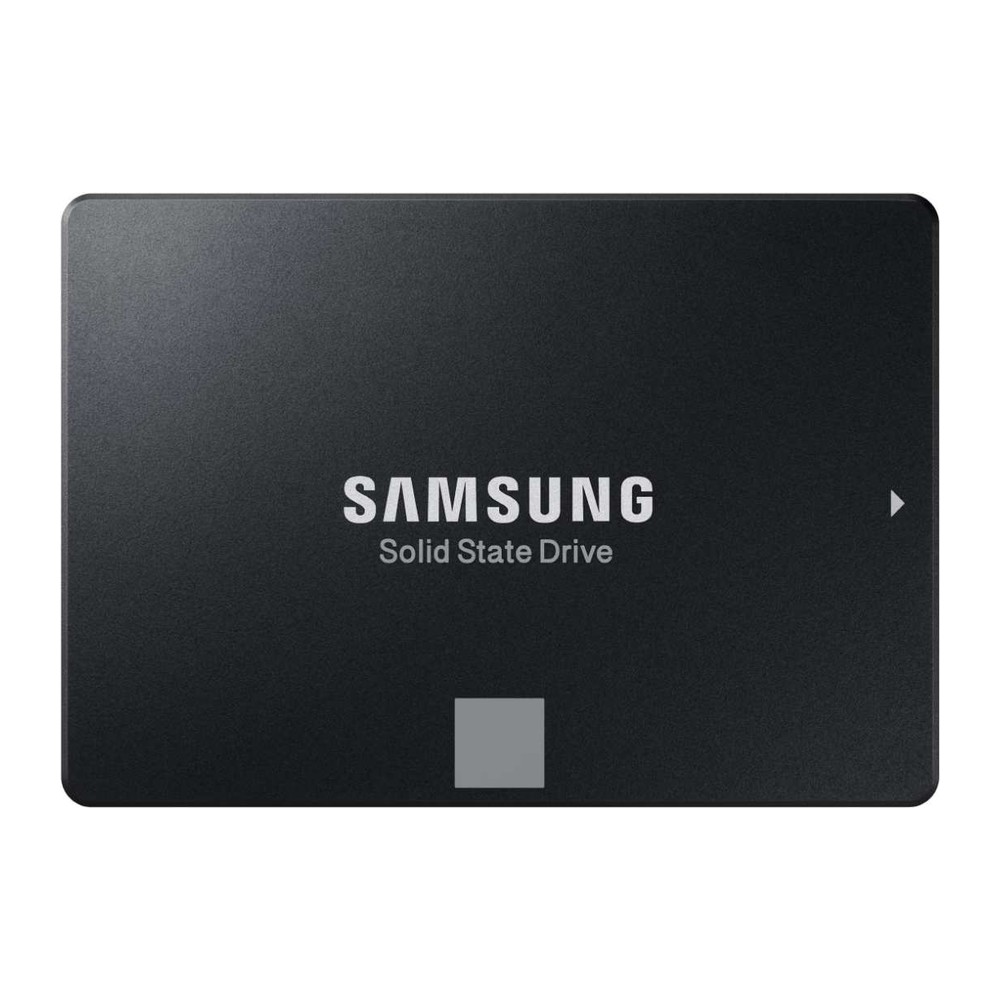
Samsung 870 EVO SATA SSD (250GB-4TB)
A 2.5-inch SATA SSD with TLC V-NAND and DRAM cache in 250 GB to 4 TB, rated up to 560/530 MB/s and up to 2,400 TBW with a five-year warranty.
Full Specification Sheet
| Type | Internal SSD, SATA (client) |
|---|---|
| Interface | SATA 6 Gb/s (compatible with SATA 3 Gb/s and 1.5 Gb/s) |
| Form Factor | 2.5-inch, 100 x 69.85 x 6.8 mm |
| Capacities | 250 GB, 500 GB, 1 TB, 2 TB, 4 TB |
| Controller | Samsung MKX |
| NAND | Samsung V-NAND 3-bit MLC (TLC) |
| DRAM Cache | 512 MB (250/500 GB), 1 GB (1 TB), 2 GB (2 TB), 4 GB (4 TB) LPDDR4 |
| Sequential Read / Write | Up to 560 / 530 MB/s |
| Random 4K (QD32) | Up to 98,000 read / 88,000 write IOPS |
| Random 4K (QD1) | Up to 13,000 read / 36,000 write IOPS |
| Endurance (TBW) | 150 TB (250 GB), 300 TB (500 GB), 600 TB (1 TB), 1,200 TB (2 TB), 2,400 TB (4 TB) |
| Encryption | AES 256-bit, TCG Opal 2.0, IEEE 1667 |
| Operating Temperature | 0 to 70 C |
| MTBF | 1,500,000 hours |
| Warranty | 5-year limited (or TBW, whichever comes first) |
The Samsung 870 EVO is Samsung's mainstream SATA solid-state drive in the classic 2.5-inch format. It combines the company's own MKX controller with 3-bit V-NAND flash and a dedicated DRAM cache, and it is rated at up to 560 MB/s for sequential reads and 530 MB/s for sequential writes, figures that sit at the practical ceiling of the SATA 6 Gb/s interface. The data sheet we use lists five capacities from 250 GB to 4 TB. This page summarises the manufacturer's specification. We have not tested the drive ourselves, and no prices or benchmark results of our own are given.
Interface and format
The 870 EVO connects through SATA 6 Gb/s and remains compatible with the older 3 Gb/s and 1.5 Gb/s versions of the interface, where it simply runs at the lower link speed. The housing measures 100 by 69.85 by 6.8 millimetres, the standard 2.5-inch size with a height under 7 millimetres, so it fits desktop drive bays, the vast majority of laptops with a 2.5-inch slot, and many NAS and mini-PC enclosures. Because it uses the same data and power connectors as a hard disk, it is one of the simplest upgrades for an older computer that has no M.2 slot. Our M.2 vs SATA guide explains how the two connection types differ and when each makes sense.
Performance figures
Sequential performance is the same for every capacity: up to 560 MB/s reading and 530 MB/s writing. Random performance with 4 KB blocks is rated at up to 98,000 IOPS for reads and 88,000 IOPS for writes at a queue depth of 32. Samsung also publishes figures at a queue depth of 1, which is closer to how ordinary desktop software behaves: up to 13,000 IOPS for reads and 36,000 IOPS for writes. Publishing low-queue-depth numbers is useful, because they reflect the responsiveness felt when opening programs and files more than the headline sequential speeds do.
Like most consumer SSDs, the 870 EVO uses a fast write buffer, which Samsung calls Intelligent TurboWrite. The data sheet is unusually open about what happens once that buffer is full: sequential writes then fall to 300 MB/s on the 250 GB and 500 GB models, while the 1 TB, 2 TB and 4 TB models are stated to continue at 530 MB/s. Anyone who regularly copies very large files in one go should therefore prefer 1 TB or more.
Controller, NAND and cache
The drive is built around the Samsung MKX controller and Samsung V-NAND 3-bit MLC, the type of flash usually called TLC, which stores three bits per cell. Each capacity has its own LPDDR4 DRAM cache: 512 MB for the 250 GB and 500 GB models, 1 GB for 1 TB, 2 GB for 2 TB and 4 GB for 4 TB. The DRAM holds the table that maps logical addresses to physical flash locations, and keeping it in fast memory helps the drive stay responsive under mixed workloads and when it is fairly full. Our article on DRAM cache versus DRAM-less SSDs goes into the background.
Endurance and warranty
Endurance is given as total bytes written: 150 TB for 250 GB, 300 TB for 500 GB, 600 TB for 1 TB, 1,200 TB for 2 TB and 2,400 TB for 4 TB. In each case this equals 600 full drive writes. The limited warranty runs for five years or until the TBW figure is reached, whichever comes first. Mean time between failures is stated as 1.5 million hours. For a typical home or office computer that writes some tens of gigabytes per day, these limits lie far beyond what will be reached within the warranty period.
Security and features
The 870 EVO supports AES 256-bit full-disk encryption and complies with TCG Opal 2.0 and the IEEE 1667 Encrypted Drive standard, so it can be managed by operating-system and enterprise encryption tools that rely on hardware encryption. TRIM, garbage collection and S.M.A.R.T. health reporting are supported, with TRIM requiring support from the operating system.
Environmental data
The operating temperature range is 0 to 70 °C, and the drive may be stored between -40 and 85 °C. Non-operating shock resistance is 1,500 G for 0.5 milliseconds, and non-operating vibration tolerance is 20 G between 20 and 2,000 Hz. With no moving parts, an SSD of this kind is far less sensitive to knocks than a hard disk, which is an advantage in laptops.
How it compares in our database
Within our storage section the 870 EVO is one of the best-documented SATA drives. The Kingston KC600 targets a similar buyer with TLC flash, hardware encryption and a five-year warranty, and the page 870 EVO vs KC600 places the two specifications side by side. The Kingston A400 represents the simpler entry level of the SATA class, with a shorter warranty and fewer published details.
Who it suits
The drive is aimed at people upgrading a desktop or notebook that offers only SATA, at users who want a second drive for programs, photos or games, and at owners of NAS devices or small servers who need a dependable 2.5-inch SSD. The 4 TB model makes it possible to replace a large hard disk with a single silent drive. In a system with a free M.2 NVMe slot, an NVMe drive will be several times faster in sequential transfers, so SATA is mainly the right choice where the hardware requires it.
Installation notes
Fitting a 2.5-inch SSD requires a SATA data cable to the motherboard and a SATA power connector from the power supply in a desktop, or simply the existing drive bay connector in a laptop. Desktop cases with only 3.5-inch bays need an adapter bracket, although the drive is light enough to be secured in almost any position. For best results the SATA controller should run in AHCI mode, and the drive should be attached to a 6 Gb/s port; many older boards have a mix of faster and slower ports.
What the data sheet does not say
The data sheet lists five capacities up to 4 TB; other capacities are not covered by the document and are therefore not described here. It gives power figures in a form we could not attribute reliably to each capacity, so we leave them out. It does not state a release date. Prices differ by country, retailer and capacity and are not listed on this page.