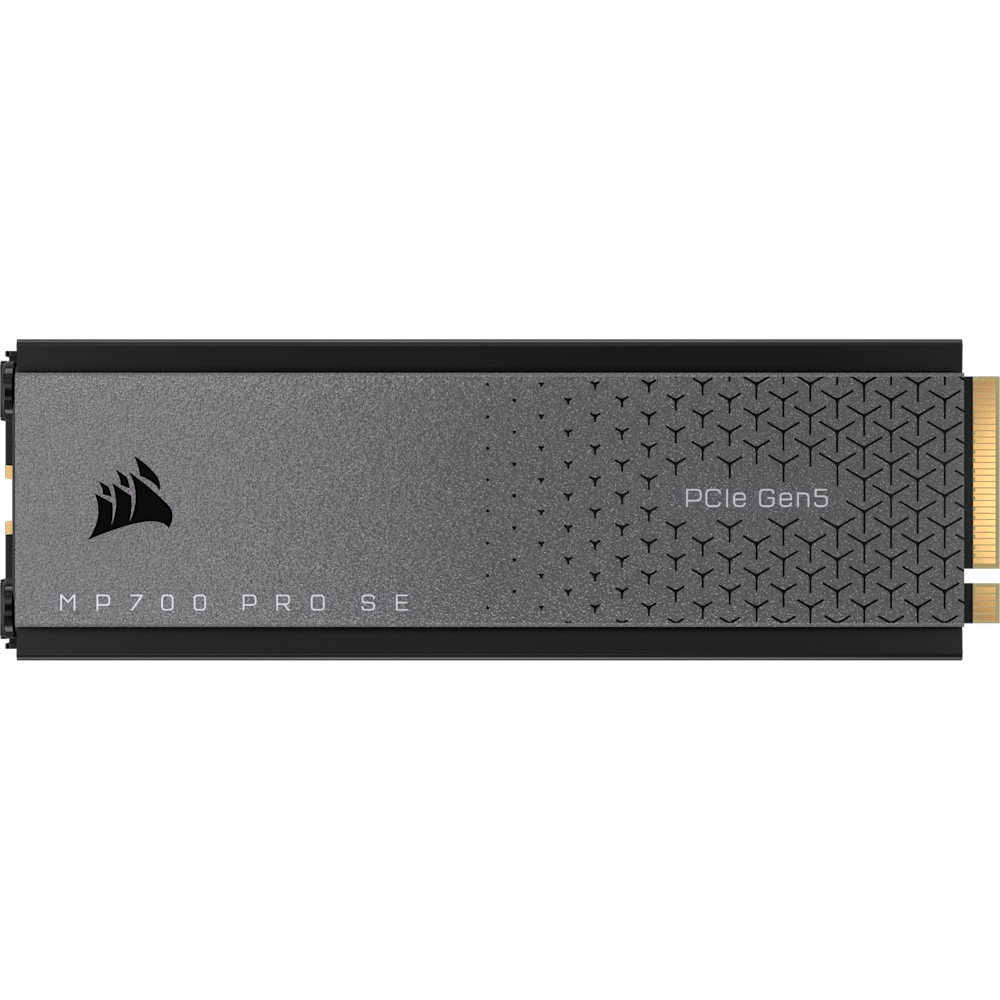
Corsair MP700 PRO SE with Air Cooler 2TB
A 2 TB PCIe 5.0 x4 NVMe 2.0 M.2 SSD with up to 14,000 MB/s sequential read, 3D TLC NAND, an included air cooler and a five-year warranty.
Full Specification Sheet
| Interface | PCIe 5.0 x4, NVMe 2.0 |
|---|---|
| Form Factor | M.2 2280 |
| Capacity | 2 TB (model with air cooler) |
| NAND | High-density 3D TLC |
| Sequential Read | Up to 14,000 MB/s |
| Sequential Write | Up to 12,000 MB/s |
| Cooling | Air cooler included |
| DirectStorage | Supported (DirectX 12 GPU with Shader Model 6.0 required) |
| Software | CORSAIR SSD Toolbox 2.0 (preview) |
| Warranty | 5 years |
The Corsair MP700 PRO SE with Air Cooler is a PCIe 5.0 x4 NVMe 2.0 solid-state drive in the M.2 2280 format, and the model described on this page is the 2 TB version that ships with an air cooler fitted. Corsair presents it as combining the latest PCIe 5.0 technology with the NVMe 2.0 interface to deliver higher-speed data transfers and greater performance than earlier M.2 drives. The manufacturer's product page is short and to the point, so this page sticks to the figures it publishes and explains what they mean for someone deciding between a PCIe 5.0 drive and a PCIe 4.0 one. Nothing here is a test result; every number is the manufacturer's stated maximum.
Interface, form factor and capacity
The drive connects through four PCIe 5.0 lanes and follows the NVMe 2.0 specification, which is the software interface that lets an SSD talk to the processor directly over PCIe. It uses the compact M.2 2280 format, 22 mm wide and 80 mm long, and fits an M.2 slot on the motherboard. The version covered here is the 2 TB model with an air cooler, and the manufacturer's page for the family also lists further capacities and cooling variants, so make sure the exact part number matches the variant you want. The drive uses high-density 3D TLC NAND, which Corsair says combines high-speed performance with outstanding endurance to keep the drive performing well through years of use. The page publishes no total-bytes-written figure for this model, so read Corsair's documentation if endurance matters to you, and our explanation of SSD endurance ratings shows how to use such a number once you have it.
Speed figures as stated
Corsair specifies up to 14,000 MB/s sequential read and up to 12,000 MB/s sequential write. The company compares this with older drives in plain terms: nearly double the sequential read and write speeds of PCIe 4.0 SSDs and up to 25 times the speed of some SATA SSDs. A footnote adds that performance may vary with system hardware and configuration. Sequential speeds describe large, continuous transfers such as copying a video file or loading a large asset pack, and they say less about everyday responsiveness, which depends more on small random accesses and on the software. The page does not publish random read or write figures, so we do not quote any. For a wider view of what a step from PCIe 4.0 to PCIe 5.0 changes for real users, see our guide to Gen4 versus Gen5 NVMe upgrades.
Motherboard requirements
A PCIe 5.0 drive only reaches its rated speeds in an M.2 slot that supports PCIe 5.0. Corsair's page notes select Intel Z690 and Z790 and AMD 600 Series motherboards in this context and warns of lower performance on PCIe 4.0 M.2 motherboards. In other words, the drive is backward compatible, but a PCIe 4.0 slot limits what it can do, which makes it a poor value on an older platform. Check the manual of your motherboard for the slot that is wired directly to the processor with Gen 5 lanes, since on many boards only one M.2 slot has this capability and using additional slots or expansion cards can change how lanes are shared. Our explanation of PCIe lane sharing between graphics cards and NVMe drives describes what to watch for. An example of a board with a Gen 5 M.2 slot on this site is the ASUS ROG Strix Z790-E Gaming WiFi.
Cooling
Fast SSDs generate heat, and the manufacturer states that an SSD cooler is required, telling buyers to check their system documentation. This model includes an air cooler in the box, which is the reason for the name, and Corsair says the included cooler ensures the drive performs optimally and stays cool while offering incredible throughput. The page also says that the compact drive is designed to be used with the integrated SSD cooling provided by a motherboard, so a drive with its own cooler is a choice you should compare against your board's built-in heatsink, mindful of the physical clearance under a graphics card or another cover. For the general reasons why temperature limits speed and how heatsinks help, read our guide to NVMe thermal throttling and heatsinks.
DirectStorage and gaming
Corsair lists Microsoft DirectStorage support. The manufacturer explains that it enables the drive to communicate directly with your graphics card while playing compatible games for fast load times, and notes that it requires a DirectX 12 GPU with Shader Model 6.0 support. DirectStorage is a Windows technology, and its benefit depends entirely on whether the game itself is written to use it, so a fast drive does not automatically speed up every title. For general use, a Gen5 drive mostly shows its advantage in large file transfers, professional work with big media files and any workload that reads or writes large amounts of data quickly.
Software and package contents
The page offers CORSAIR SSD Toolbox 2.0 in a preview version for download, together with the usual quick-start guide for M.2 Gen5 SSDs and declarations of conformity. The package contents are listed as the MP700 PRO SE M.2 SSD with the included cooler. Because the page describes the tool as a preview, check the current version and features on Corsair's site before relying on specific functions.
Choosing between PCIe 4.0 and PCIe 5.0
The decision comes down to three questions. First, does your motherboard have a PCIe 5.0 M.2 slot, and is it the one you would use anyway? If not, the extra bandwidth is unreachable. Second, does your work move enough data to notice? Editing large video projects, moving big game libraries between drives, working with large datasets or scratch disks are examples where sequential throughput matters, whereas browsing, office software and most current games depend far more on latency and processor speed. Third, are you prepared to manage the heat and the space? A drive rated at these speeds needs a cooler, and the included air cooler adds height that must fit under your case layout and any graphics-card overhang. If the answer to all three is yes, a Gen5 drive such as this one is a sensible long-term investment; if not, a PCIe 4.0 drive costs less, runs cooler and will feel the same in most everyday tasks. Whichever you choose, keep your important data backed up on a separate device.
Warranty and positioning
Corsair covers the drive with a comprehensive five-year warranty and describes it as offering long-term reliability and customer support. Within this site, the closest neighbour is another Gen5 model: see our MP700 PRO SE versus Samsung 9100 PRO comparison, and browse the full storage category for PCIe 4.0 and SATA alternatives. If you do not have a PCIe 5.0 slot or a workload that benefits from the extra bandwidth, a PCIe 4.0 drive will usually give better value. The product page states no price, so confirm price and stock with a retailer.
Product image: Corsair product image.