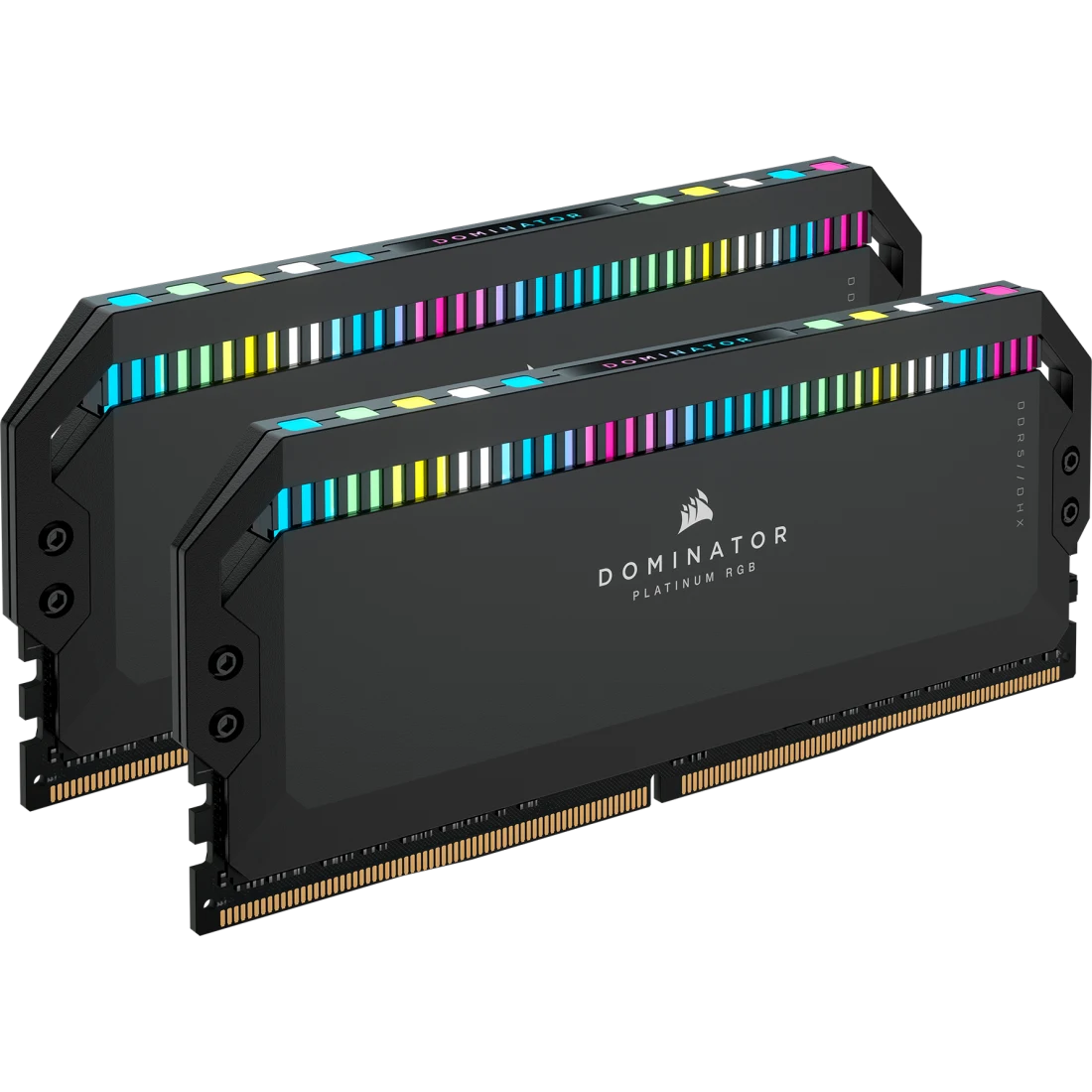
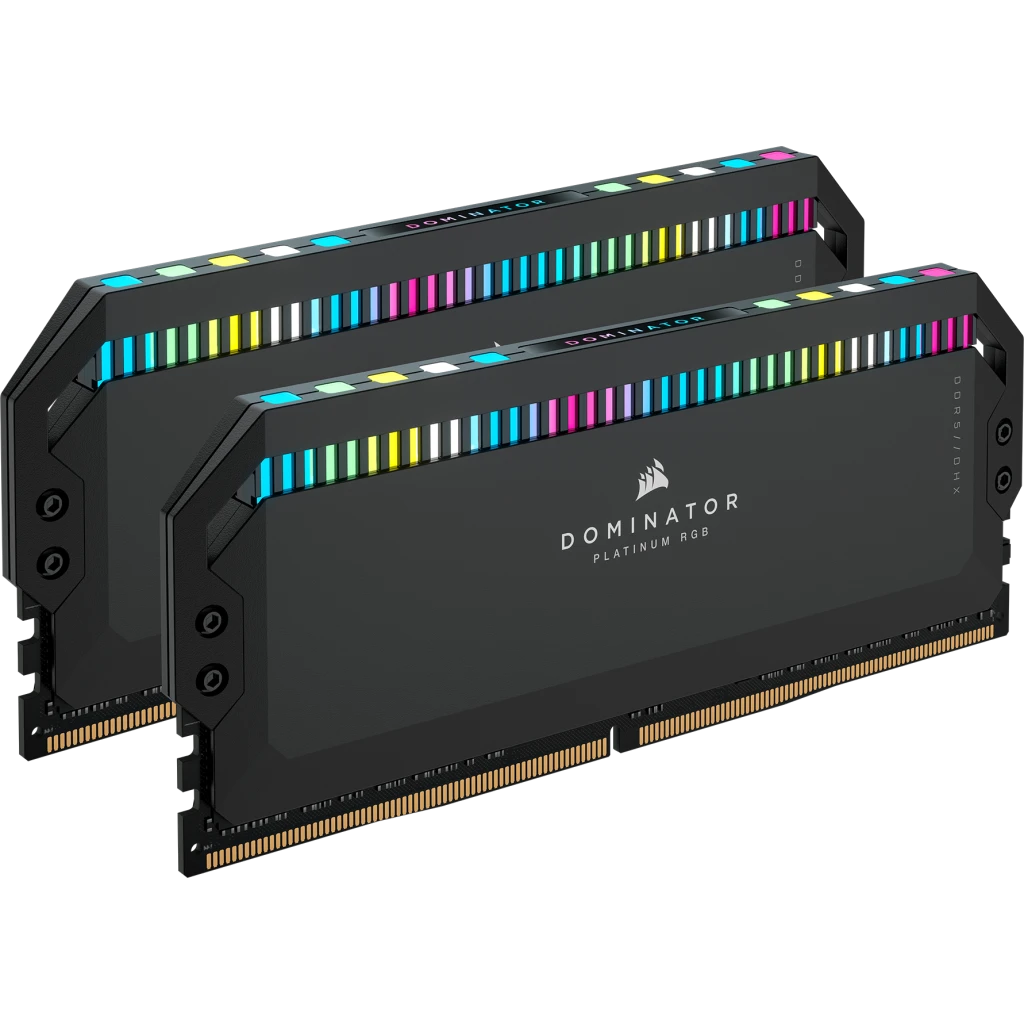
Corsair DOMINATOR PLATINUM RGB 32GB (2x16GB) DDR5-7200 CL34
A 32 GB (2 x 16 GB) DDR5 kit tested at 7200 MT/s and CL34 with an Intel XMP profile, 12 CAPELLIX RGB LEDs per module, DHX cooling and an Extreme OC PMIC.
Full Specification Sheet
| Part Number | CMT32GX5M2X7200C34 |
|---|---|
| Capacity | 32 GB kit (2 x 16 GB) |
| Tested Speed | 7200 MT/s (PC5-57600) |
| Tested Latency | CL34 |
| Tested Voltage | 1.45 V |
| SPD Speed / Latency / Voltage | 4800 MT/s / CL40 / 1.1 V |
| Profile | Intel XMP |
| Module Type | DDR5 UDIMM |
| Heat Spreader | Aluminum (DHX cooling) |
| Lighting | 12 CAPELLIX RGB LEDs per module |
| PMIC | Extreme OC PMIC |
| Compatibility | Intel 700 Series, Intel 800 Series |
| Warranty | Limited lifetime |
The Corsair DOMINATOR PLATINUM RGB DDR5 kit with part number CMT32GX5M2X7200C34 pairs two 16 GB modules for 32 GB in total, tested by Corsair at 7200 MT/s with a CAS latency of 34. It is one of several speed and capacity variants of the same DOMINATOR PLATINUM RGB DDR5 product line, and Corsair's product page lists the range from lower speeds up to 7800 MT/s in various kit sizes. This page explains the figures Corsair publishes for this specific kit, what they mean when you choose memory, and what the page does not state. No benchmark results appear here, and this site has not tested the kit. Every figure is a manufacturer specification unless it is marked as arithmetic. Corsair's page shows a price, but prices change daily and are not part of this entry.
The headline numbers: speed, latency and voltage
The tech table gives the tested speed as 7200 MT/s and the tested latency as 34, at a tested voltage of 1.45 V. The speed rating is written PC5-57600, which is DDR5-7200 in the module-bandwidth naming scheme. The name means each module can move 57.6 GB per second at most, and that figure is simple arithmetic: 7200 megatransfers per second multiplied by the 8 bytes of a 64-bit module data path gives 57,600 MB/s. A two-module kit running in two channels would therefore have a theoretical peak of about 115.2 GB/s (arithmetic, an upper bound rather than a measured number). The tested latency of 34 is the CAS latency in clock cycles. To convert it into time, divide twice the latency by the transfer rate: 34 times 2000 divided by 7200 is about 9.4 nanoseconds until the first word of data arrives (arithmetic from Corsair's figures). Our explainer on RAM speed versus latency shows why both numbers belong together.
Default settings and the XMP profile
The most important line in the table for a first-time buyer is the difference between the SPD values and the tested values. The SPD, the default profile stored on the module, is listed as 4800 MT/s at CL40 and 1.1 V. That is what the module runs at when the motherboard uses its defaults. The 7200 MT/s CL34 at 1.45 V figures are the tested profile that you enable in the BIOS. Corsair lists the performance profile as Intel XMP, and the page notes that the tested speed requires overclocking or BIOS adjustments and that maximum speed and performance depend on system components, including the motherboard and processor. The same disclaimer appears on every Corsair kit page and is worth reading literally: the printed speed is what Corsair tested, not something every system will reach. Applying the default 4800 MT/s CL40 setting gives a first-word latency of about 16.7 nanoseconds (40 times 2000 divided by 4800; arithmetic), so enabling the profile roughly cuts that delay and raises the bandwidth by half again, in theory. Our comparison of XMP versus EXPO memory profiles explains how the profile system works and what happens when a board supports only one of the two.
Compatibility
Corsair lists the memory compatibility as Intel 700 Series and Intel 800 Series boards, and the detailed compatibility line names the ASUS ROG Z790 Series. The profile is Intel XMP, and the page does not list AMD EXPO support for this kit. A reader with an AMD platform should therefore treat the kit as an Intel-first product; it may run on other systems at default settings, but the page does not promise the tested profile there. Two boards on this site show the kind of Intel platform the page has in mind: the ASUS ROG STRIX Z790-E GAMING WIFI on the 700 Series side and the ASUS ROG STRIX Z890-E GAMING WIFI on the 800 Series side. Always check the motherboard maker's memory support list for the specific speed you plan to run, because high DDR5 speeds depend on the processor's memory controller as well.
Cooling, PCB and chip selection
Corsair points to several construction details. Patented Corsair DHX cooling cools the memory through both the memory chips and the ground plane of the PCB itself, with its own dedicated heat spreader, to keep performance high under extreme loads. The heat spreaders are precision-forged, die-cast and anodised aluminium. The chips are described as hand-sorted and tightly screened to ensure consistent high-frequency performance with aggressive timing options, and the custom high-performance PCB is said to guarantee signal quality and stability for superior overclocking. These are design statements from the manufacturer; they describe the intent of the product and are not results measured by this site. The tech table lists the PMIC type as Extreme OC PMIC. A PMIC is the power management chip that DDR5 places on the module itself, rather than on the motherboard as in earlier memory generations, and Corsair pairs it with onboard voltage regulation and iCUE software control for finely tuned output and stable overclocking.
Lighting and iCUE
Each module carries 12 individually addressable CAPELLIX RGB LEDs, described as ultra-bright with low power consumption. Corsair lists lighting presets such as Color Pulse, Color Shift, Color Wave, Rain, Rainbow, Rainbow Wave, Spiral Rainbow, Visor and Watercolor, and says you can create your own effects in iCUE software, which also brings the rest of a Corsair setup into one ecosystem. iCUE also lets you save custom Intel XMP 3.0 profiles, so you can tailor settings by application or task instead of adjusting them manually in the BIOS each time. The page lists the module as iCUE enabled. If you also care about how different vendors' lighting software fits together, our overview of the iCUE, Aura and Mystic Light software ecosystems is a useful companion.
What the page does not state
Corsair's page for this kit does not name the memory chip vendor, does not state the rank configuration, and lists the module weight as zero, which we treat as missing data rather than a real weight. It also gives no height figure, so if you are planning around a large air cooler, check the cooler maker's memory clearance against the module height on the packaging or in the manual before you buy. The page shows a limited lifetime warranty, which Corsair describes as complete peace of mind and years of worry-free performance; read Corsair's own warranty terms for the details that apply to you.
Where it sits and how to compare it
On this site the closest sibling is the Corsair DOMINATOR PLATINUM RGB DDR5 32GB 5600 CL36 kit, the same product line at a lower tested speed. The side-by-side comparison puts the tested speed, latency and voltage of the two kits next to each other, and the memory category lists every kit we cover. Bear in mind that a faster tested speed only matters if your platform can run it and your workload is limited by memory speed, and that this page can only report the specification, not how it behaves in your build.