ASUS TUF GAMING Z890-PLUS WIFI
An ATX LGA1851 board on the Intel Z890 chipset with a PCIe 5.0 x16 slot, four M.2 slots, DDR5 up to 9066+ MT/s (OC), Thunderbolt 4, Wi-Fi 7 and 2.5 Gb Ethernet.
Full Specification Sheet
| Socket | Intel LGA1851 |
|---|---|
| Chipset | Intel Z890 |
| CPU Support | Intel Core Ultra processors (Series 2) |
| Memory | 4 x DIMM, up to 256 GB, DDR5 up to 9066+ MT/s (OC), non-ECC unbuffered and CUDIMM, Intel XMP and AEMP III |
| Expansion | 1 x PCIe 5.0 x16 (CPU), 1 x PCIe 4.0 x16 (x4 mode), 1 x PCIe 4.0 x4, 2 x PCIe 4.0 x1 (chipset) |
| Storage | 4 x M.2 (M.2_1 PCIe 5.0 x4, M.2_2 to M.2_4 PCIe 4.0 x4) and 4 x SATA 6Gb/s |
| Networking | Intel 2.5Gb Ethernet, Wi-Fi 7 (802.11be) 2x2, Bluetooth 5.4 |
| Rear USB | 1 x Thunderbolt 4 Type-C, 1 x USB 20Gbps Type-C, 3 x USB 10Gbps Type-A, 3 x USB 5Gbps Type-A |
| Video Output | DisplayPort, HDMI, Thunderbolt 4 and USB 20Gbps Type-C display outputs |
| Audio | Realtek ALC1220P 7.1 |
| Form Factor | ATX, 30.5 x 24.4 cm |
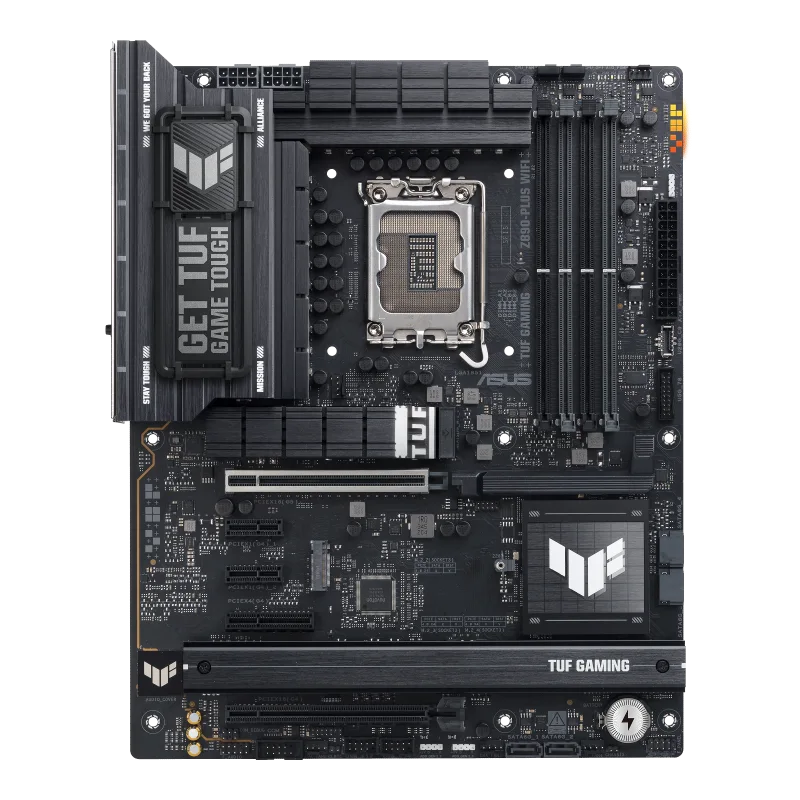
The ASUS TUF GAMING Z890-PLUS WIFI is an ATX motherboard for Intel's LGA1851 socket, built on the Z890 chipset for Intel Core Ultra processors (Series 2). It belongs to ASUS's TUF Gaming family, which ASUS positions as the durable, value-minded gaming line below its ROG range, and the tech-spec page shows a board that spends its budget on connectivity and protection features: Thunderbolt 4, Wi-Fi 7, four M.2 slots and a full list of ASUS protection and mounting features. This page reads through the specification ASUS publishes, explains each entry in practical terms and leaves out anything the manufacturer page does not state, which includes a price, a launch date and a VRM phase count. There are no benchmarks or tests here; every figure is an ASUS specification unless it is marked as simple arithmetic.
Processor and chipset support
ASUS lists Intel Core Ultra processors (Series 2) for the LGA1851 socket, with a pointer to its download center for the authoritative CPU support list, and the chipset is the Intel Z890. The page states support for Intel Turbo Boost Technology 2.0 and Intel Turbo Boost Max Technology 3.0, with the caveat that Max 3.0 depends on the CPU type. Z890 is the enthusiast tier of the Series 2 platform, the tier that allows memory overclocking and the fullest set of chipset lanes; for how that tier compares with the cheaper ones, see our guide to motherboard chipset tiers. A notice at the top of the page adds operating-system requirements for the Core Ultra 200S Series: Windows 10 (version 21H2 and later) and Windows 11 (version 22H2 and later), while the page's operating-system field itself lists Windows 11 (22H2 and later).
Memory
There are four DIMM slots with a maximum of 256 GB of DDR5. ASUS states support for speeds up to 9066+ MT/s with overclocking (OC), for non-ECC unbuffered modules and for Clocked Unbuffered DIMMs (CUDIMM), in a dual-channel architecture. The named profile technologies are Intel Extreme Memory Profile (XMP) and the ASUS Enhanced Memory Profile III (AEMP III). Footnotes say that supported memory types, speeds and module counts vary with the CPU and memory configuration, that ASUS publishes a CPU and memory support list under the Support tab, that adjustments are based on mass-produced modules on the market, and that non-ECC unbuffered DDR5 supports on-die ECC, which is a property of the chips and not full ECC across the bus. The page gives no timings, so no latency figures are quoted here. If you are choosing between profile formats, our explainer on XMP versus EXPO memory profiles covers what the profile names mean.
Expansion slots
The processor supplies one PCIe 5.0 x16 slot. The Z890 chipset adds one PCIe 4.0 x16 slot that runs in x4 mode, one PCIe 4.0 x4 slot and two PCIe 4.0 x1 slots. ASUS refers to a PCIe bifurcation table on its support site for how the CPU lanes can be split. For most builds the practical reading is simple: the top slot is for the graphics card, and the chipset slots are for capture cards, network cards or other add-in cards that do not need much bandwidth. Because chipset lanes are shared with the M.2 and SATA connections in many boards, it is sensible to read our guide to PCIe lane sharing before filling every slot, although the ASUS page for this board lists no explicit sharing rules.
Storage
ASUS counts four M.2 slots and four SATA 6Gb/s ports. The two slots fed by the processor are M.2_1, a Key M slot that takes 2242, 2260 and 2280 drives at PCIe 5.0 x4, and M.2_2, a 2280 slot at PCIe 4.0 x4. The two chipset slots are M.2_3, taking 2280 and 22110 drives at PCIe 4.0 x4, and M.2_4, taking 2242, 2260 and 2280 drives with both PCIe 4.0 x4 and SATA modes. Intel Rapid Storage Technology is listed with PCIe RAID 0/1/5/10 and SATA RAID 0/1/5/10, with the note that the M.2 slots on the CPU support only RAID 0/1/5. The thermal hardware on the storage side is an M.2 heatsink backplate and an M.2 heatsink, and the box carries two M.2 rubber packages, a Q-Slide package and a screw package for M.2 SSDs. Fast drives in these slots can run hot, a topic we cover in our guide to NVMe thermal throttling and heatsinks.
Networking
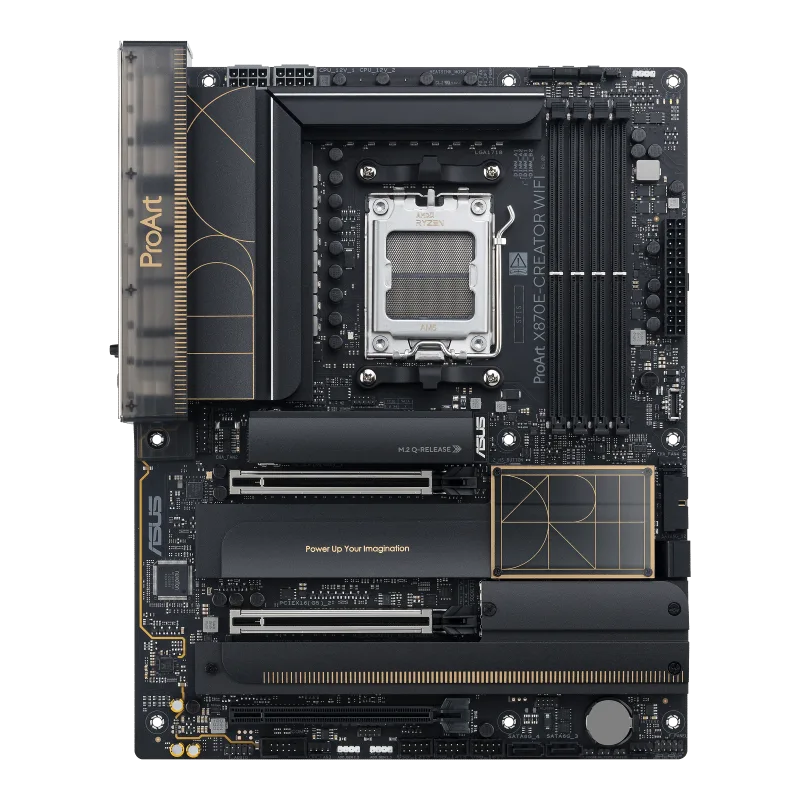
Wired networking is one Intel 2.5Gb Ethernet port with TUF LANGuard protection. Wireless is Wi-Fi 7 (802.11be) in a 2x2 configuration across the 2.4, 5 and 6 GHz bands with 160 MHz channel width and a transfer rate of up to 2.9 Gbps, plus Bluetooth 5.4. ASUS adds the usual conditions: Wi-Fi 7 needs Windows 11 24H2 or later for full function, Windows 10 has no driver available, the 6 GHz band and channel width depend on national regulation, and the Bluetooth version depends on the module that ships. The channel width is worth noting when you compare with the ProArt X870E board in our database, which lists 320 MHz. For what the Wi-Fi generations mean in practice, see our comparison of Wi-Fi 6E and Wi-Fi 7 on motherboards.
USB and video output
The rear panel has eight USB ports: one Thunderbolt 4 Type-C, one USB 20Gbps Type-C, three USB 10Gbps Type-A and three USB 5Gbps Type-A. Inside there is a front-panel USB 20Gbps connector with Type-C support, one USB 5Gbps header for two more ports, and two USB 2.0 headers for four more, seven front-panel ports in all, and ASUS notes a Type-C power delivery output of up to 5 V at 3 A. Video output is a DisplayPort (up to 4K at 60 Hz as specified in DisplayPort 1.4), an HDMI port (4K at 60 Hz as specified in HDMI 2.1), the Thunderbolt 4 port, which carries DisplayPort and Thunderbolt video and supports up to 8K at 60 Hz on one display with display stream compression at a maximum total bandwidth ASUS states as 23.8 Gbps, and the USB 20Gbps Type-C port, which supports DisplayPort video output. ASUS also tells users to connect the monitor to the rear HDMI port or a discrete card while installing the operating system.
Audio, power and protection
Audio comes from a Realtek ALC1220P codec with 7.1 output, impedance sense on the headphone outputs, an internal amplifier, 120 dB SNR playback, 113 dB SNR line-in and playback up to 32-bit/192 kHz (not supported for 7.1 surround because of HDA bandwidth), backed by audio shielding, premium capacitors, dedicated PCB layers, an audio cover and a rear optical S/PDIF output. Power reaches the board through a 24-pin connector and two 8-pin 12 V CPU connectors. ASUS TUF PROTECTION is listed as a digital DIGI+ VRM with DrMOS power stages, ESD guards, TUF LANGuard, overvoltage protection, SafeSlot and a stainless-steel rear I/O panel. The page does not state a phase count or a current rating for the power stages, so none is given here. The heatsink list names a VRM heatsink design, the M.2 heatsink and the M.2 backplate.
Headers, firmware and software
For cooling there is one CPU fan header, one CPU OPT header, one AIO pump header and four chassis fan headers. Lighting connectivity is three addressable RGB Gen 2 headers. Other headers include a Clear CMOS header, chassis intrusion, a COM port, front-panel audio, the system panel and a Thunderbolt (USB4) header for add-in cards. The UEFI BIOS sits on a 256 Mb flash ROM with a BIOS FlashBack button and LED, and the EZ DIY list adds a CPU socket lever protector, a pre-mounted I/O shield and SafeDIMM. Software includes Armoury Crate, Aura Creator, Fan Xpert 4 with AI Cooling II, ASUS DriverHub, TUF GAMING CPU-Z, DTS Audio Processing, MyHotkey and an NPU Boost option in the BIOS, plus trial versions of Adobe Creative Cloud, Norton 360 for Gamers (60 days) and WinRAR (40 days).
In the box and how to read it
The box holds two SATA cables, the ASUS WiFi Q-Antenna, an M.2 Q-Slide package, two M.2 rubber packages, a screw package for M.2 SSDs, a TUF GAMING sticker, a removable TUF GAMING nameplate and a quick start guide. The form factor is ATX at 12 x 9.6 inches (30.5 x 24.4 cm). To see where this board sits against other LGA1851 options, open the side-by-side comparison with the ROG MAXIMUS Z890 HERO, read the entry for the ROG STRIX Z890-E GAMING WIFI, or browse the motherboard category. Every value above is an ASUS specification and not a measured result, and the page does not state a price, a launch date or a warranty term, so check those with a retailer.
Points to check before buying
Confirm the exact processor against the ASUS CPU support list, check the memory kit against the memory support list, and count the drives you plan to use: with four M.2 slots but only one at PCIe 5.0, a second Gen5 drive will not run at its top speed on this board. The Thunderbolt 4 port is a notable inclusion at this tier, but it is a single port, so a setup with several high-speed external devices may need a dock.