PL1/PL2 Power Limits vs. AMD PBO: How CPUs Actually Manage Power Out of the Box
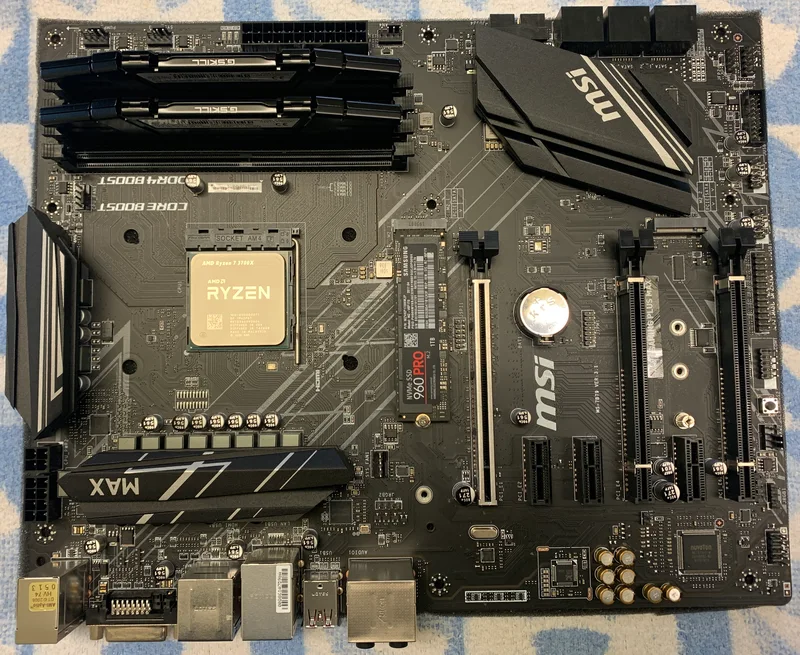
A CPU's boxed clock speed and TDP rating tell you almost nothing about how it actually behaves under sustained load, because both Intel and AMD build in layered power-limit systems that let the chip run well above its rated power for short bursts and then settle back down. Understanding PL1/PL2 on Intel and Precision Boost Overdrive (PBO) on AMD explains why two motherboards can make the exact same CPU perform noticeably differently — and why "stock" performance is far less fixed than most buyers assume.
Intel's PL1/PL2/Tau system
Intel desktop CPUs since roughly the 9th generation define two sustained power ceilings and a timer between them. PL1 is the long-term sustained power limit — historically close to the chip's rated TDP — that the CPU is meant to settle at during extended full-load work. PL2 is a substantially higher short-term power ceiling, often 1.5x to 2x PL1, that the CPU is allowed to draw during bursts of demanding work like application launches or the first seconds of a benchmark run. Tau is the timer, usually somewhere between 28 and 56 seconds by default, that governs how long the CPU can sit at PL2 before it's forced back down to PL1.
On paper the Intel Core i9-14900K carries a PL1 of 125W, but in practice almost every enthusiast motherboard ships with a default profile — often labeled "Multi-Core Enhancement" or something similar — that removes the PL1 ceiling entirely and lets the chip sustain PL2-equivalent power (well north of 250W) indefinitely, provided cooling can keep up. That's a huge, largely invisible difference: the exact same CPU can behave like a modest 125W part or an unrestrained 250W+ part purely based on motherboard firmware defaults, with zero user configuration involved. This is a big part of why cooling capacity matters so much on high-core-count Intel chips — the thermal headroom you actually need depends entirely on which power profile your board applies, not the number printed on the box.
AMD's PBO and its curve optimizer
AMD's approach is architecturally different. Ryzen chips define a Package Power Tracking (PPT) limit as their real sustained ceiling, alongside Thermal Design Current (TDC) and Electrical Design Current (EDC) limits that cap sustained and peak amperage respectively. Precision Boost 2 already pushes the chip to use all the power and thermal headroom available within those limits automatically; Precision Boost Overdrive (PBO) is an additional layer that raises those PPT/TDC/EDC ceilings further, letting the chip opportunistically boost harder and longer whenever thermal and power delivery headroom allow it.
The Ryzen 9 7950X has a default PPT of 230W against a 170W TDP rating, which is itself already a form of built-in headroom before PBO is even touched manually. PBO's Curve Optimizer feature then lets users apply a negative voltage offset per core, which — counterintuitively — often increases sustained clock speeds rather than decreasing them, because lower voltage at a given frequency generates less heat, and less heat means the chip's thermal-limited boost algorithm can sustain higher clocks for longer before throttling. This is a genuinely different mechanism from the voltage-safety concerns covered in our CPU overclocking and voltage safety guide — Curve Optimizer reduces voltage rather than raising it, so the risk profile is much more forgiving, though it still requires per-core stability testing to get right.
Why motherboard choice quietly changes CPU performance
Because both platforms hand a meaningful amount of control to motherboard firmware defaults, two boards running the identical CPU can post different benchmark numbers out of the box, before any user ever opens a BIOS menu. Budget boards with weaker VRM designs sometimes apply more conservative power limits specifically because their power delivery hardware can't safely sustain the highest unlocked profiles — which is a legitimate safety measure, not a shortcoming, and it's exactly the kind of hidden differentiator covered in our motherboard VRM quality guide. A stronger VRM design, like the doubled power stages on many current boards, is what makes it safe for a motherboard vendor to remove Intel's PL1 ceiling in the first place.
How to actually check what your system is doing
Most motherboard monitoring utilities, and third-party tools like HWiNFO on Windows, report real-time package power draw directly, which is the most reliable way to see whether your specific board is applying a stock-like power ceiling or an unlocked one — comparing that live figure against the CPU's rated TDP number takes the guesswork out of the question entirely. It's worth checking both idle-to-load transient behavior and a genuine sustained stress test of at least several minutes, since a chip can look perfectly within its rated TDP during the first few seconds of a benchmark (while still inside the PL2/Tau burst window) and only reveal its true sustained power draw once that timer expires and it settles onto whatever PL1 ceiling — stock or unlocked — the board is actually enforcing.
On the AMD side, tools like Ryzen Master expose the live PPT, TDC, and EDC utilization directly as percentages of their configured ceilings, which makes it easy to see which of the three limits is actually constraining boost behavior at any given moment — a chip hitting its EDC (current) limit before its PPT (power) limit, for instance, is being held back by motherboard VRM current delivery rather than by thermal or wattage headroom, a distinction that matters when deciding whether a firmware update, a different board, or better cooling is the right fix.
Practical takeaways
Check your motherboard's power-limit defaults before assuming your CPU is running at its rated TDP — most enthusiast boards are not conservative by default. If thermals or power bills matter to you, manually setting PL1/PL2 closer to the CPU's actual rated TDP (or applying a negative PBO offset) often costs only a small percentage of peak multi-threaded performance while meaningfully cutting power draw and noise. If you bought the CPU specifically for maximum sustained multi-core throughput, verify your cooling solution and PSU headroom actually match the unrestrained power draw your motherboard is likely applying by default, not the number printed on the retail box.