AMD X3D and 3D V-Cache CPUs Explained: Why Cache Beats Clock Speed in Gaming
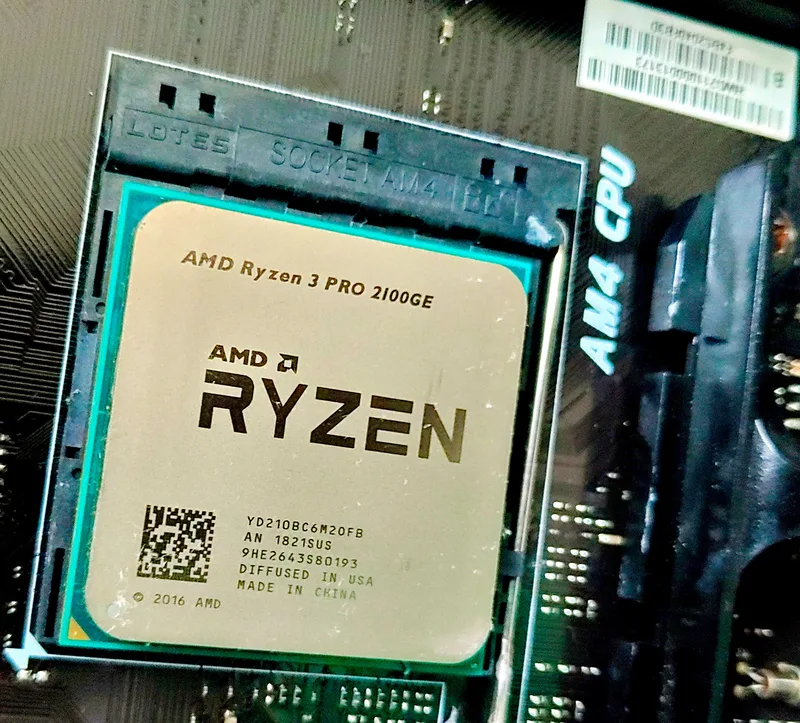
Look at any list of the best gaming CPUs from the last few years and one detail stands out: the chips winning gaming benchmarks are frequently not the highest-clocked or highest-core-count parts in AMD's lineup. They're the "X3D" models — Ryzen chips carrying a huge slab of extra cache stacked directly on top of the processor die. Understanding what that stacked cache actually does, and where it does and doesn't help, changes which AMD chip actually makes sense for a given build.
What 3D V-Cache physically is
Every modern CPU already has a built-in cache hierarchy — small, extremely fast pools of memory (L1, L2, L3) sitting between the processor cores and much slower system RAM, designed to keep frequently-used data close to the cores so they don't stall waiting on a round trip to memory. AMD's 3D V-Cache technology takes a standard Ryzen compute chiplet (CCD) and bonds an additional 64MB slice of L3 cache silicon directly on top of it, connected through thousands of microscopic through-silicon vias using TSMC's hybrid copper bonding process. The result on a single-CCD chip like the Ryzen 7 7800X3D is 96MB of total L3 cache — the standard 32MB built into the CCD plus the 64MB stacked die — roughly triple what a same-generation non-X3D chip carries.
The dual-CCD flagship, the Ryzen 9 7950X3D, applies the stacked cache to only one of its two eight-core chiplets, leaving the second CCD at standard cache size but full clock speed. AMD's chipset driver and Windows scheduler cooperate to park latency-sensitive games on the V-Cache-equipped CCD while routing heavily-threaded productivity work to the higher-clocking standard CCD, so the chip effectively behaves like two different processors depending on what's running.
Why more cache helps games specifically
Games lean heavily on large, semi-random data structures — world geometry, entity states, physics data — that don't fit neatly into a small cache and don't follow the predictable access patterns that make prefetching reliable. When a CPU core needs data that isn't sitting in cache, it has to fetch it from system RAM, a round trip that costs many times longer than a cache hit even on fast DDR5. Tripling the L3 cache dramatically increases the odds that the data a game engine needs next is already sitting close to the core, cutting down on exactly those RAM round trips. That's why X3D chips post some of their largest gains in exactly the games that stress large, unpredictable working sets — open-world titles and simulation-heavy games in particular — sometimes outperforming chips with meaningfully higher boost clocks and even higher core counts in the same generation.
Productivity workloads behave differently. Rendering, encoding, and compilation tasks tend to work through data in large, predictable, sequential blocks that cache prefetchers already handle well, so the extra cache buys much less there. For single-CCD X3D chips, this means a lower peak clock speed (traded for the cache) can actually make a non-X3D chip faster in a heavily-threaded render — which is exactly why AMD sells both versions of most generations side by side rather than replacing the standard lineup outright.
The clock speed trade-off
Stacking a second die directly on top of the compute chiplet creates a real thermal engineering problem: the stacked cache sits between the compute die and the heatsink, adding thermal resistance exactly where heat needs to escape fastest. Early X3D chips, starting with the AM4-socket Ryzen 7 5800X3D, addressed this by capping boost clocks noticeably below their non-X3D sibling and disabling manual core overclocking entirely — the 5800X3D boosts to 4.5GHz versus the 5800X's 4.7GHz, a small gap on paper that undersold how much the cache uplift compensated for it in gaming. AMD's newer Zen 5 generation, in the Ryzen 9800X3D, moved the cache die underneath the compute die instead of on top of it, giving the compute layer a more direct thermal path to the heatsink and allowing meaningfully higher boost clocks than the previous generation's X3D chips while keeping the same 96MB L3 cache size.
Platform and cooling considerations
X3D chips are drop-in compatible with the same sockets as their non-X3D siblings — AM4 for the 5000X3D series, AM5 for the 7000X3D and 9000X3D series — but that compatibility depends on BIOS support, and older motherboards frequently need an AGESA firmware update before they'll correctly recognize and boost an X3D chip. Anyone considering a used or budget AM4 board should check the manufacturer's CPU support list against the specific X3D model before buying, the same due-diligence step covered in our AM4 vs AM5 vs LGA1700 platform guide.
Cooling an X3D chip doesn't require anything exotic — a competent air cooler or mid-size AIO handles them comfortably, since the whole point of the reduced clock ceiling is a lower power and thermal footprint than the equivalent non-X3D flagship. Where care does matter is cooler mounting pressure: AMD published specific guidance around even, controlled mounting force for early X3D chips because of the added stacked die's sensitivity to excessive point pressure, a detail worth checking against your specific cooler's mounting hardware before installation rather than assuming standard AM4/AM5 mounting pressure is automatically safe.
Choosing between an X3D chip and the standard flagship
The decision comes down to what the machine spends most of its time doing. A build that's overwhelmingly gaming-focused benefits from a single-CCD X3D chip like the 7800X3D or 9800X3D almost across the board, often at a lower price than the equivalent non-X3D flagship because it ships with fewer, more cache-heavy cores rather than the full core count. A build that splits time between gaming and heavily-threaded productivity work — video editing, 3D rendering, large compilations — is better served by a dual-CCD chip like the 7950X3D or 9950X3D, which keeps a full-clock non-V-Cache CCD available for that workload while still getting V-Cache gaming performance when the scheduler routes a game to the right cores. A workstation with essentially no gaming use case at all is usually better served by the standard, higher-clocked flagship rather than paying the X3D premium for a cache advantage that workload won't meaningfully use.
It's also worth sanity-checking the rest of the platform before assuming an X3D upgrade will show up in real frame rates. Our core count vs. clock speed guide covers how a CPU's architecture translates into real-world performance more broadly, and if you're weighing an X3D chip specifically against Intel's current flagship, our Intel vs. AMD flagship comparison breaks down how the two platforms' approaches to gaming performance actually differ. For a look at how AMD's own non-X3D flagship performs as a baseline, our full Ryzen 9 7950X review covers the standard-cache chip's real-world numbers across both gaming and productivity workloads.
Bottom line
3D V-Cache is not a universal upgrade — it's a targeted trade of peak clock speed for a dramatically larger cache pool that specifically benefits cache-sensitive, unpredictable workloads like games. For a gaming-first build, an X3D chip is very often the smarter buy than the higher-clocked standard flagship at a similar or lower price; for a productivity-heavy workstation, that same trade works against you, and the standard chip remains the better fit. Match the chip to the workload rather than assuming the "X3D" badge is an automatic upgrade in every scenario.