ECC vs. Non-ECC RAM: Do You Actually Need Error-Correcting Memory?
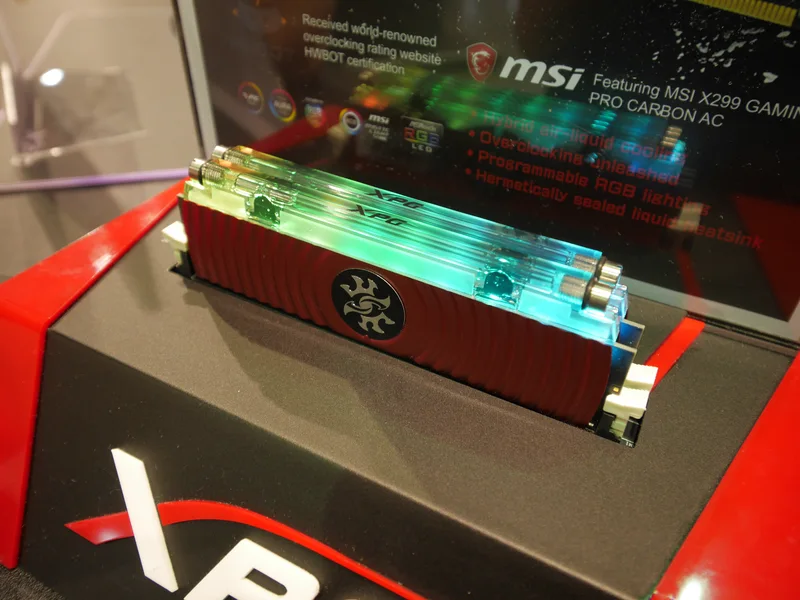
Every consumer RAM kit sold for gaming or general desktop use is non-ECC. Server and workstation listings, by contrast, almost always specify ECC memory as a requirement or an option. The two aren't interchangeable, and the gap between them isn't marketing — it's a real difference in how the memory module is built and how the memory controller talks to it. This guide explains what ECC actually does, why it costs more, which platforms genuinely support it, and when it's worth caring about outside a data center.
What ECC Actually Changes at the Hardware Level
Standard (non-ECC) memory stores data across a 64-bit-wide bus per channel, with no extra bits reserved for error checking. ECC memory adds an extra chip (or extra die area on integrated designs) to widen that to a 72-bit memory bus — the additional 8 bits store a checksum calculated from the other 64, using a Hamming code. Every time data is read back, the memory controller recalculates the checksum and compares it. If a single bit has flipped since it was written — caused by a cosmic ray, electrical noise, or a marginal cell — ECC detects the mismatch and corrects it silently, with no application-visible error. If two bits flip simultaneously in the same word (far rarer), most ECC implementations can at least detect the corruption and halt rather than silently return bad data, though correcting a two-bit error is beyond standard single-error-correct, double-error-detect (SECDED) ECC.
Why This Matters More on Some Systems Than Others
Bit flips happen at a low but nonzero rate on all DRAM, roughly proportional to total capacity and uptime. On a gaming PC that reboots daily and runs consumer software, an unnoticed single-bit flip is statistically rare and, when it does happen, usually just causes a visual glitch, a crashed game, or nothing at all — annoying, not catastrophic. On a server running a database for months without a reboot, with hundreds of gigabytes of RAM under constant read/write pressure, the odds of an uncorrected bit flip silently corrupting financial records, filesystem metadata, or a long-running scientific calculation are high enough that data centers have standardized on ECC as a baseline requirement, not an upsell.
Which Consumer and Workstation Platforms Actually Support It
This is where things get platform-specific, and where a lot of shoppers get misled. On the Intel side, mainstream desktop chipsets (Z-series, B-series, H-series covered in our chipset tiers guide) do not support ECC at all, regardless of what memory you install — the memory controller on standard Core desktop CPUs lacks ECC support entirely. Intel's workstation-focused W680 chipset, paired with specific 12th/13th/14th-gen Core or Xeon W processors, is the exception: it officially supports unbuffered ECC UDIMM DDR5, giving desktop-class builds real ECC without jumping to a full Xeon Scalable server platform. On the AMD side, most Ryzen desktop CPUs (non-APU models) have ECC support built into the memory controller silicon, and many B650/X670/B850/X870 motherboards will run unbuffered ECC UDIMM modules in ECC mode — but it's unofficial and unvalidated by AMD on standard Ryzen, meaning support, and even whether the board reports correctable-error counts, varies by vendor and BIOS version. AMD's Ryzen PRO and Threadripper PRO lines officially validate ECC, as do EPYC server platforms using registered (RDIMM) or load-reduced (LRDIMM) ECC memory.
The Real-World Tradeoffs
ECC UDIMMs typically cost noticeably more per gigabyte than equivalent non-ECC kits, run at more conservative rated speeds (high-frequency XMP/EXPO-tuned ECC kits are rare, since ECC modules are built for stability over headline MT/s numbers), and — critically — cannot use XMP or EXPO overclocking profiles the way standard 16GB or 32GB gaming kits can, since ECC modules are validated at JEDEC-standard speeds only. There's also a small but real latency cost: calculating and checking the checksum on every access adds a tiny amount of overhead compared to non-ECC memory, though this is generally immeasurable outside of memory-bandwidth-saturating synthetic benchmarks. For a gaming build, none of these tradeoffs are worth it — the failure mode ECC protects against is rare enough, and low-stakes enough when it does occur, that the speed and cost penalty isn't justified.
Who Should Actually Buy ECC
The calculation flips for a few specific use cases. Anyone running a home server or NAS that holds the only copy of important data — especially with ZFS, which explicitly assumes ECC memory to guarantee its checksumming and self-healing features actually protect against corruption rather than just detecting it after the fact — benefits meaningfully from ECC. Workstations doing long-running scientific computation, 3D rendering farms, CAD work, or financial modeling where a silently corrupted calculation could go unnoticed for hours also justify it. Anyone running a 24/7 always-on system with a large multi-DIMM DDR5 memory configuration — more total DRAM cells means more statistical exposure to bit flips — has a stronger case than someone with a single 16GB stick in a machine that's off most of the day.
How to Check Before You Buy
Before assuming ECC will work, verify three things: that your CPU's memory controller supports it (check the ARK or vendor spec sheet, not just marketing copy), that your specific motherboard model explicitly lists ECC support in its memory QVL or spec sheet, and that the BIOS actually exposes ECC status reporting — some boards will run ECC modules in non-ECC fallback mode without warning if support isn't fully implemented, which defeats the purpose entirely. Browse our memory comparison page for current ECC and non-ECC kit listings, cross-referenced against platform compatibility notes, so you can confirm support before ordering rather than after installing.
The Bottom Line
ECC memory is not a "better" version of standard RAM in any performance sense — it's a different tool solving a different problem. For gaming, content creation, and typical desktop use, the odds of an uncorrected bit flip actually mattering are low enough that non-ECC's speed and cost advantage wins comfortably. For a home NAS running ZFS, a workstation doing unattended long-running calculations, or any always-on system where silent data corruption is genuinely costly, ECC is worth the platform research and the price premium — but only on hardware that actually validates it, not just hardware that happens to accept the DIMMs physically.