Buying a Used GPU: Real Risks, Red Flags, and How to Test One Before You Trust It
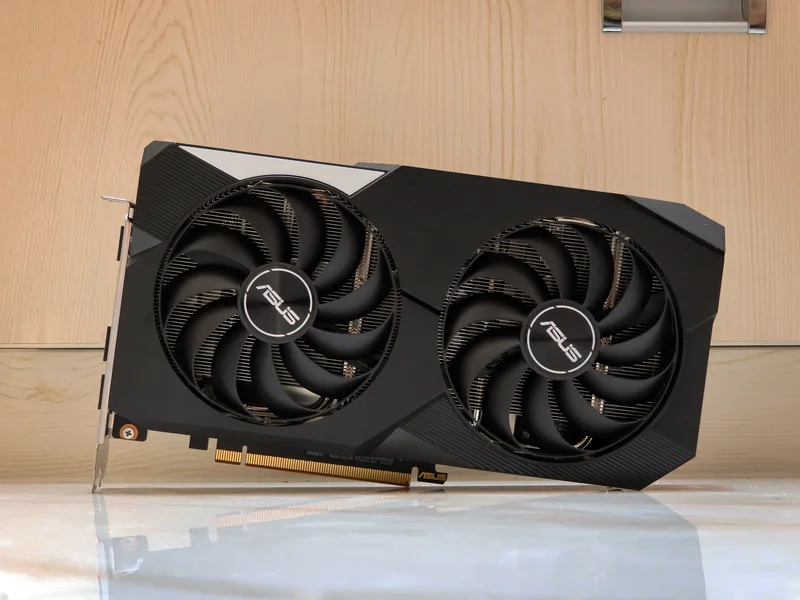
The used GPU market is one of the most effective ways to build a capable gaming PC on a tight budget, but it is also a market where the seller almost always knows more about the card's history than the buyer does. A graphics card that has been mined on for a year, run at sustained high temperatures without adequate case airflow, or had its fans replaced after a failure can look cosmetically identical to a lightly-used card in listing photos. Knowing what to check before you pay, and how to stress-test a card once it arrives, is the difference between a genuine bargain and an expensive mistake.
Mining History: Less Scary Than It Used to Be, But Still Worth Checking
Cards that spent long periods mining cryptocurrency ran at sustained, stable loads rather than the bursty, thermally-cycling loads of gaming, which in some respects is gentler on the silicon itself than gaming use. The real risk is fans: mining rigs are frequently run in open-air setups with fans spinning continuously for months at a time, which accelerates bearing wear well beyond what a normally-used gaming card would see in the same period. Ask directly about mining history, and treat evasive answers as a red flag regardless of how good the listing photos look. A card's fans are a wear part regardless of history, but heavy mining use materially shortens their expected lifespan.
Checking VRAM Health and Thermal History
Memory errors and degraded thermal pads are the two most common hidden defects on an older used card. Before buying, ask the seller to run a memory stress test like a VRAM-specific stability tool and share a screenshot — a card with even a few memory errors under load is likely to cause game crashes or visual artifacts under your own use, and this is very hard to catch just from a quick boot-up demo. VRAM amount also matters for how much life the card has left in current games: an older card with only 8 GB GDDR6 is increasingly memory-limited at higher settings in newer titles, which is a different kind of "risk" — not that the card is faulty, but that it may be closer to obsolescence than the price suggests. Compare the used price against a current card with meaningfully more memory, like a GeForce RTX 4090 with 24 GB GDDR6X, before assuming the used option is automatically the better value — sometimes it is, but only once you've weighed remaining useful life, not just sticker price.
Physical Inspection Checklist
- Check for sagging — a card that has spent years mounted horizontally without a support bracket can develop a slight PCB bow, which is a sign of long-term use even if it doesn't affect function.
- Look closely at the fan blades for chips or wobble when spun by hand; replacement fans are cheap but indicate the original ones failed.
- Check display outputs for bent pins or corrosion, especially on cards described as coming from storage or a non-climate-controlled environment.
- Ask for the original box and purchase date if possible — not essential, but it gives you a rough age baseline the listing alone won't.
- Request a few photos of the card powered on and running an application, not just static photos of it sitting on a table — this at minimum confirms it boots and displays an image before you commit to buying.
Testing After Purchase, Before the Return Window Closes
Run the card under a sustained synthetic load for at least 20-30 minutes while monitoring core temperature, clock stability, and fan behavior. A healthy card should hold stable boost clocks without unexpected throttling well below thermal limits, and fans should ramp smoothly rather than stepping erratically or staying silent under load. Follow this with an actual game session in a title you know well — subtle VRAM instability often shows up as texture corruption or driver crashes in-game before it shows up in a synthetic benchmark. Do all of this inside whatever return or dispute window your payment method or marketplace provides; testing after that window closes only tells you whether you got unlucky, not whether you can do anything about it.
Warranty Transferability and RMA Reality
Most GPU manufacturer warranties in most regions are tied to the original purchase and are not automatically transferable to a second owner, though policies vary meaningfully by brand and region, so it is worth checking directly rather than assuming either way. If a card is still within its original warranty window and the seller has proof of purchase, ask whether they are willing to register the transfer or at least provide the original receipt and serial number — this can make a real difference if the card develops a fault a few months after you buy it. A card with no remaining warranty coverage isn't necessarily a bad buy, but it does shift more of the risk calculation onto your own pre-purchase testing, which makes the physical inspection and stress-testing steps above more important, not less.
Benchmarking the Used Price Against New Alternatives
Before finalizing a used purchase, check current new pricing for both the exact card you're considering and one tier below it in the current lineup. GPU pricing shifts constantly, and a used card that looked like a clear bargain a few months ago can end up priced uncomfortably close to a new, warrantied, lower-tier current-generation card by the time you're actually ready to buy. This is especially worth checking for older high-VRAM cards, where the memory capacity headline can make a used listing look more attractive than a fair like-for-like price comparison would support. A quick side-by-side against current listings takes a few minutes and prevents paying a "used" price that isn't actually a discount once warranty and remaining useful life are factored in.
Used GPUs remain one of the best value paths in PC building when bought carefully, and a card like a well-maintained Radeon RX 6600 XT can still deliver strong 1080p performance for a fraction of a new flagship's price. For a deeper look at how much VRAM actually matters for the games you play, our GPU VRAM guide is a useful companion read before you commit to a used purchase.